
I prepared for my FAANG (Facebook, Amazon, Apple, Netflix, and Google) System Design interview with Grokking Modern System Design Interview. This post zooms in on the mechanics that matter when the clock is running, from mapping prompt types to designs, through estimating and naming components, to pacing a mock.
Mapping design problems to common prompt types
Matching problem types to designs keeps practice focused. Six generic types cover a lot of ground. A feed maps to the newsfeed and Instagram designs, a chat app to WhatsApp, a video platform to YouTube, ride hailing to Uber, a Uniform Resource Locator (URL) shortener to TinyURL, and autocomplete to Typeahead. Treat these as generic prompt types, since no one outside a company can say what its interviewers ask.
Four of the mocks follow those designs. The TikTok mock comes after YouTube, the Uber Eats mock after Uber, the NewsFeed mock after Instagram, and the Facebook Messenger mock after WhatsApp. I leaned on the TikTok and Messenger mocks, since video and chat prompts were where I felt least sure.
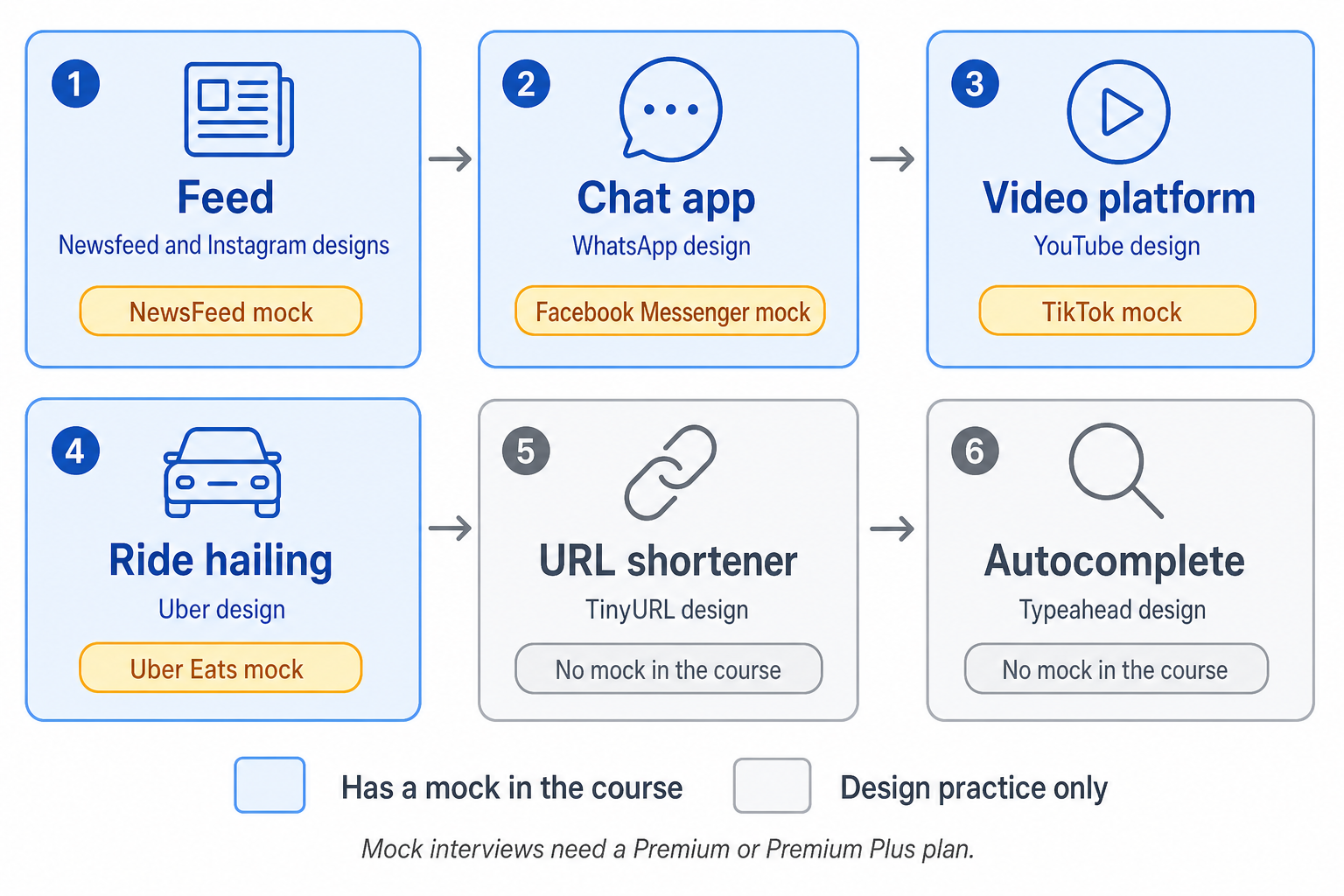
Start with the mock that matches your weakest prompt type. TinyURL and Typeahead have no mock in the course, so work through those designs and explain them aloud. The Messenger mock is a good first pick for a chat prompt.
That rotation kept my preparation broad without adding hours.
Back-of-the-envelope under time pressure
The web crawler design is a useful worked example because every number changes the design. It assumes 5 billion pages. At 2,070 kilobytes plus 500 bytes per page, one crawl needs 10.35 petabytes (PB) of storage. One server would take 3,468 days, about 9.5 years, so finishing in a day takes 3,468 servers.
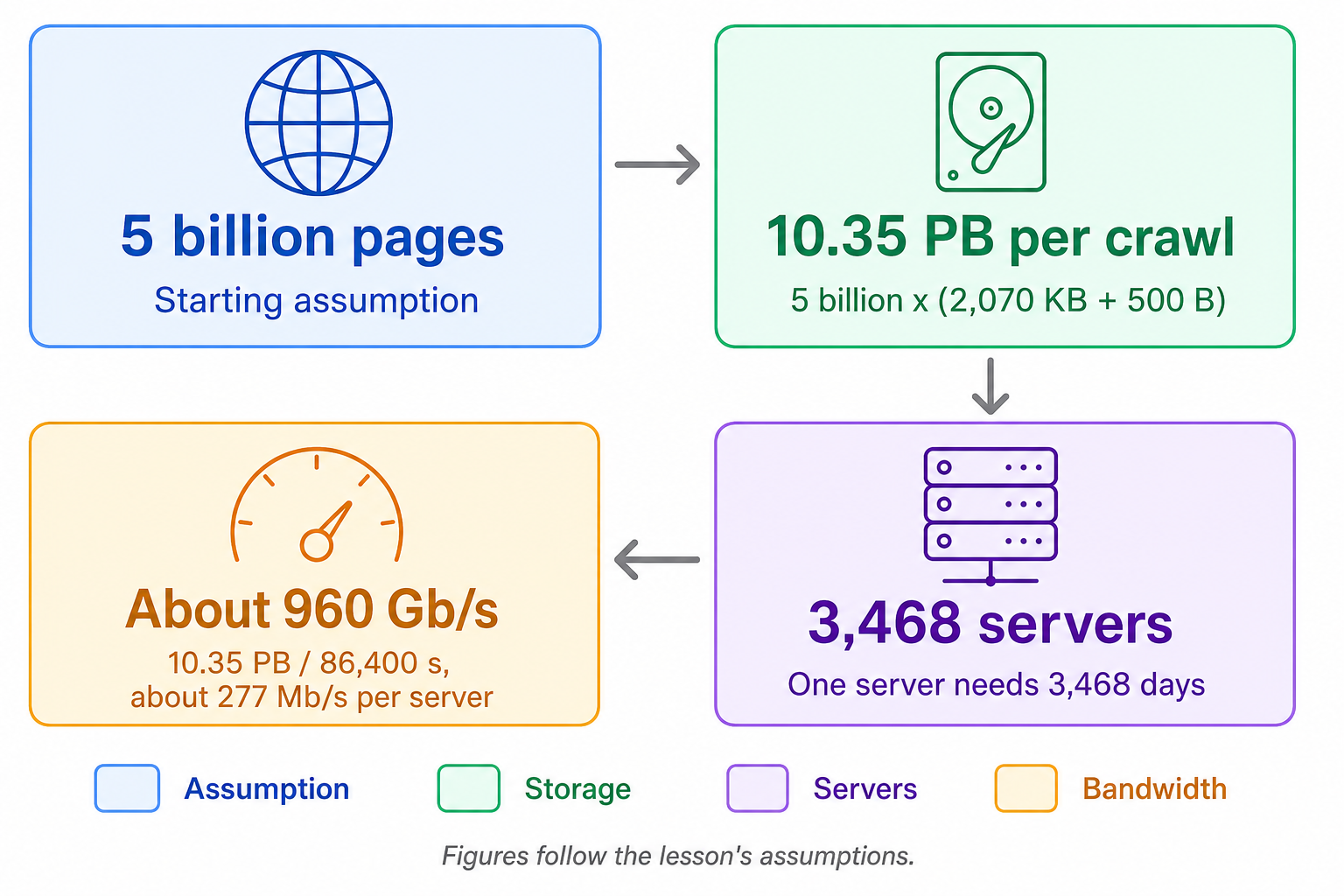
Here is the arithmetic with units written out. Each page is about 2.07 megabytes, and 5 billion pages gives about 10.35 PB. Spread over 86,400 seconds, that is about 120 gigabytes per second. Network links are quoted in bits, so multiply by 8 to get about 960 gigabits per second (Gb/s), or roughly 277 megabits per second across 3,468 servers.
Under time pressure, round aggressively and state your assumptions out loud. Treat each page as 2 megabytes and the total is exactly 10 PB. Over 86,400 seconds that is about 116 gigabytes per second, or about 926 Gb/s after converting to bits, which is about 3.5 percent below the lesson’s figure. The design conclusion is the same, so the rounding was safe.
Practice until the rounding feels automatic, because the interviewer is following your reasoning more than your arithmetic.
High-level design step
A high-level design is quick to draw when you can name the components in the order a page travels. The web crawler’s design is a good drill. Its main pieces are:
Scheduler: Hands out URLs by priority from its database.
Domain Name System (DNS) resolver: Turns hostnames into addresses, with a cache.
HyperText Markup Language (HTML) fetcher: Downloads the pages.
Extractor: Pulls out new links and content.
Duplicate eliminator: Compares checksums of URLs and documents against stored ones and drops matches.
Blob store: Keeps the content.
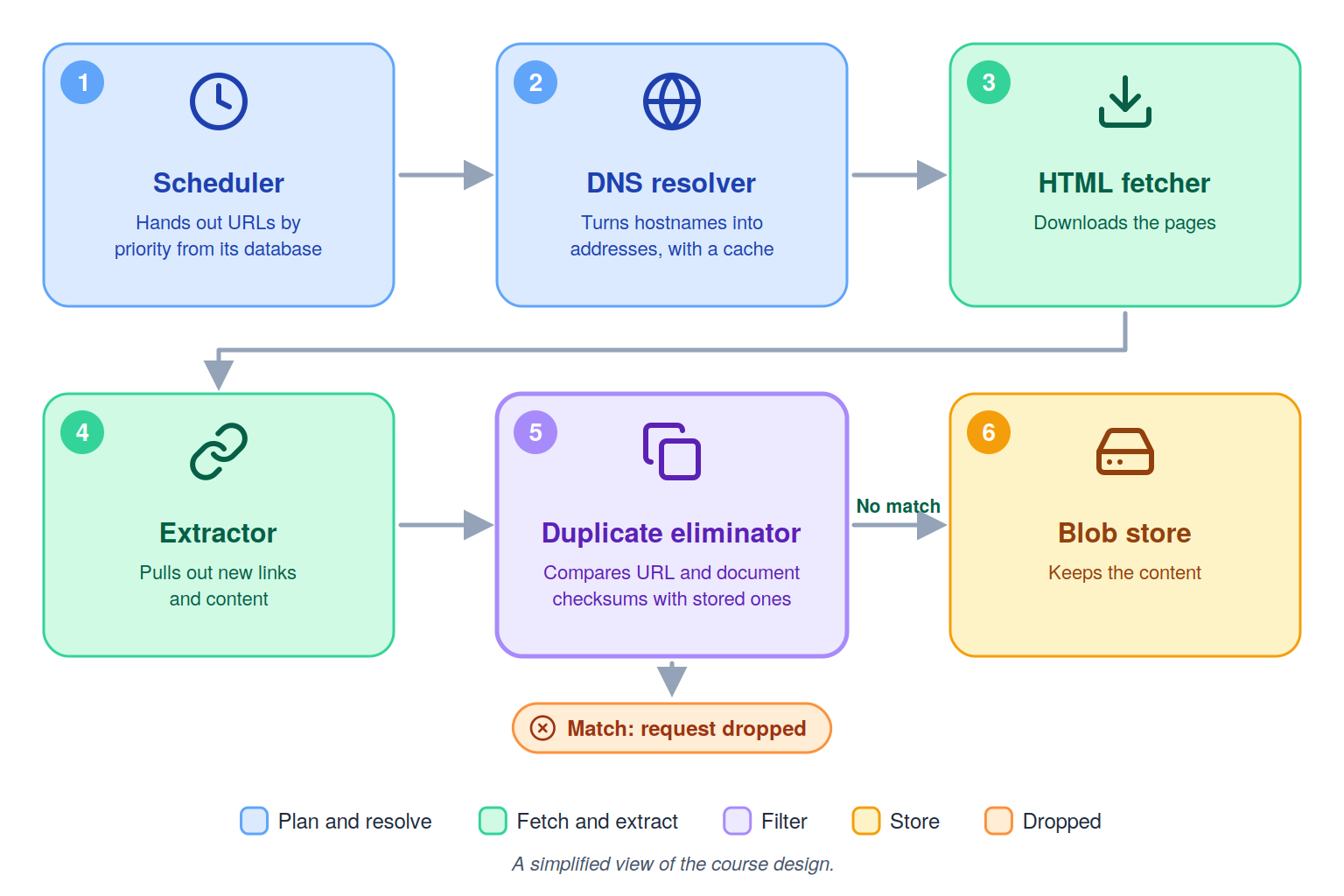
Duplicate content is one of the challenges the lesson names for crawlers, so trace one URL through the pipeline. The scheduler hands it out, the resolver finds its address, the fetcher downloads the page, and the extractor pulls out the content and new links. The duplicate eliminator then computes a checksum for the URL and for the document and compares each with the stored ones. A match means the request is dropped, which is why a page linked from many places is processed once. Otherwise the content goes to the blob store.
Drawing the flow first and filling in detail on request keeps you in control of the interview.
API design step
Application programming interface (API) design comes right after the high-level design, and the Uber design is a useful place to practice listing endpoints quickly. Its high-level design uses seven:
updateDriverLocationfindNearbyDriversrequestRideshowEtaconfirmPickupshowTripUpdatesendTrip
Listing them takes seconds, which leaves time to justify one parameter. In updateDriverLocation, the call carries the driver’s previous latitude and longitude along with the new position, which lets the server reconstruct the trajectory. Drivers report every four seconds, so that history is valuable.
One benefit I’d point out is that the path stays continuous. If a driver reports positions A, then B, then C, the call at C carries B as the previous position, so the server can draw the segment from B to C even if the update at B never arrived.
Seven endpoints and one well-justified parameter make a compact answer that invites follow-up questions.
AI mock interview timing practice
Artificial intelligence (AI) mock interviews follow six stages. You clarify requirements, outline a high-level design, work through the API and data model, explain the workflow and detailed design, weigh trade-offs, and receive feedback, with the difficulty rising as you go. That structure makes a mock a good place to rehearse pacing. In my mocks, I aimed to finish requirements and estimation within the first few minutes and have a complete high-level design before the halfway mark.
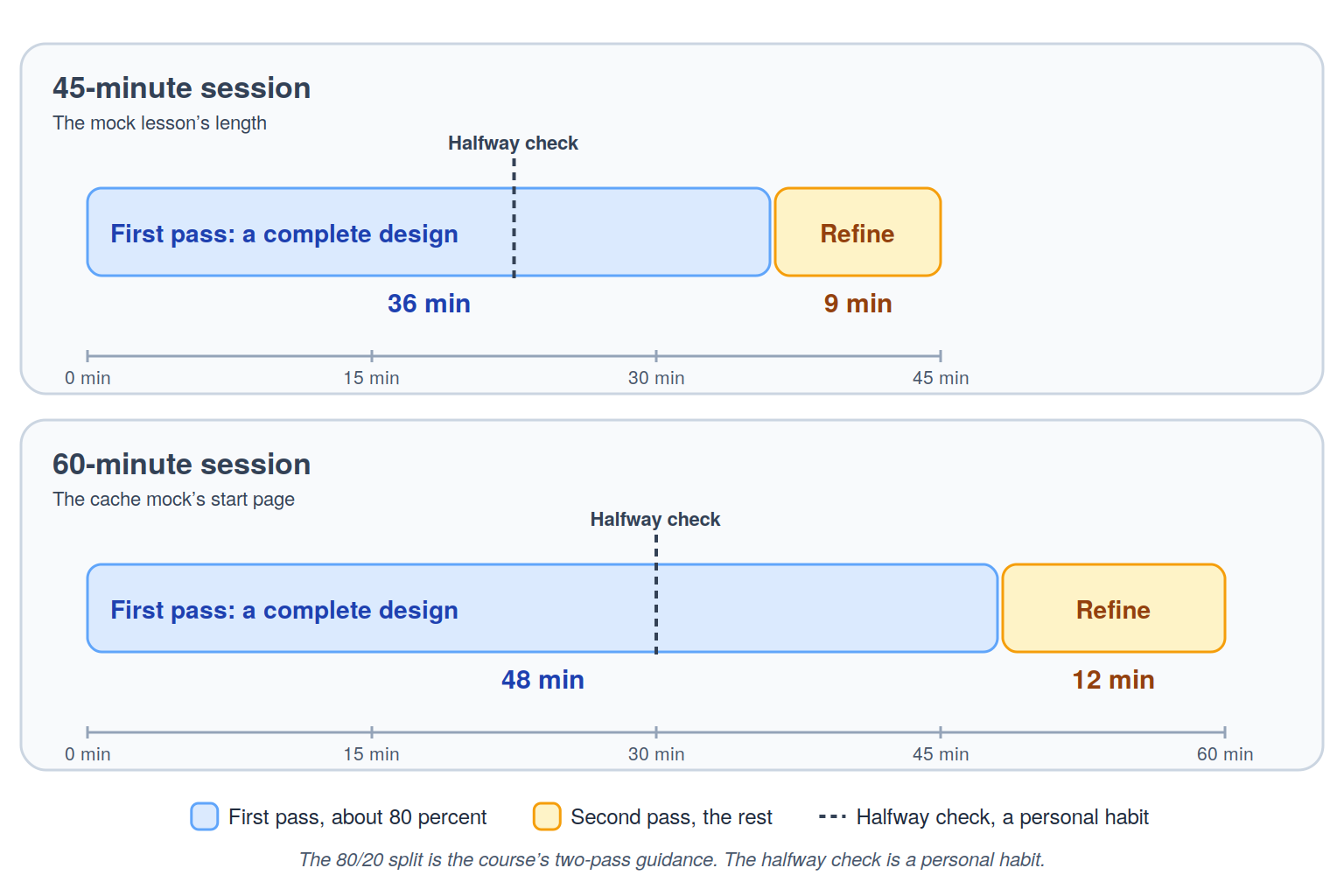
The course’s own guidance is the two-pass habit, with about 80 percent of the time on a first pass of the design and the rest on refinements. For a 45-minute session, 80 percent is 36 minutes for the first pass and 9 for refinements. A 60-minute session gives 48 and 12, so check the mock’s start page for its length.
Run a mock, read the rating, and look at which stage used up the clock. If requirements ran long, tighten them. If trade-offs got squeezed, move faster through the first pass. Repeat with one change at a time, and the pacing will start to feel natural before the real interview.