


As you prepare for System Design interviews, you will notice a clear shift in expectations compared to traditional backend-focused roles. Companies are no longer just evaluating your ability to design APIs or databases, because they now expect you to build intelligent systems powered by AI. This is why understanding AI application architecture has become a critical skill rather than a niche specialization.
The Rise Of AI-Powered Systems
Modern applications increasingly rely on AI to deliver value, whether it is through chatbots, recommendation engines, or copilots. These systems are fundamentally different from traditional applications because they rely on probabilistic outputs rather than deterministic logic.
When you design AI systems, you are not just handling data and requests but also orchestrating model behavior, latency constraints, and cost considerations. This added complexity is exactly why interviewers focus on your ability to think holistically about AI architecture.
What Interviewers Are Really Evaluating
In interviews, you are often asked to design systems like an AI assistant or a recommendation engine, but the real goal is to assess how you approach complexity. Interviewers want to see whether you can break down an AI system into components, manage data flow, and make trade-offs between performance, cost, and reliability.
If your design focuses only on calling an API without considering context management or scaling, it signals a lack of depth. On the other hand, when you naturally incorporate architectural decisions, it shows that you understand how AI systems operate in production.
The Shift From CRUD Systems To Intelligent Systems
Traditional System Design problems focused heavily on CRUD operations and database scaling. While those concepts are still relevant, AI systems introduce a new layer of complexity where the core logic is driven by models rather than business rules.
| System Type | Core Focus | Complexity Driver |
|---|---|---|
| Traditional Systems | Data storage and retrieval | Database scaling |
| AI Applications | Model-driven outputs | Inference, context, and orchestration |
This shift requires you to rethink how systems are designed, moving from static logic to dynamic, model-based decision-making.
From Functional Design To Intelligent Architecture
At an early stage, it may feel sufficient to design systems that simply work end-to-end. However, AI applications require you to consider additional dimensions such as response quality, latency, and cost, which makes the design process more nuanced.
When you start thinking in terms of intelligent architecture, your designs become more aligned with real-world systems. This mindset is what helps you stand out in System Design interviews.
Understanding The Core Components Of AI Applications
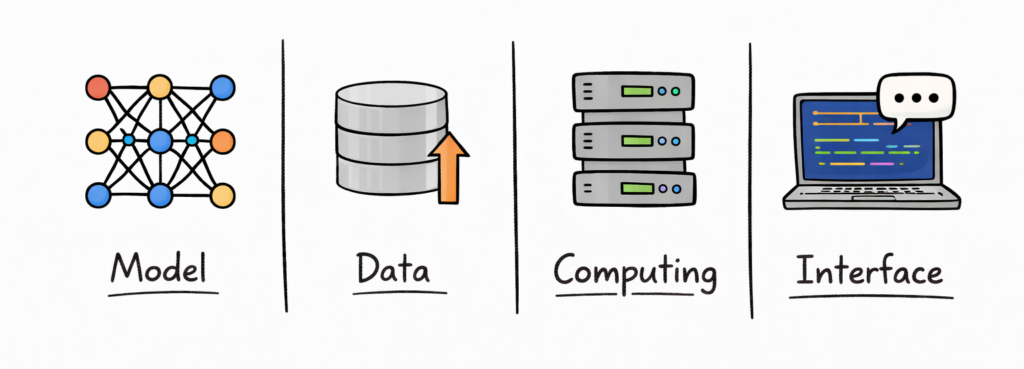
Before you can design an AI system, you need to understand its fundamental building blocks. Many candidates struggle in interviews because they jump into solutions without clearly defining components, which leads to disorganized answers.
Breaking Down AI Systems Into Layers
AI applications can be understood as a combination of multiple layers, each responsible for a specific part of the system. This layered approach helps you structure your design and makes your explanation easier to follow.
When you clearly define these layers, you create a mental framework that allows you to reason about the system more effectively. This also helps you identify where optimization and scaling decisions need to be made.
The Four Core Layers Of AI Applications
Most AI systems can be broken down into four primary layers, each contributing to the overall functionality.
| Layer | Role | Example Responsibility |
|---|---|---|
| Frontend | User interaction | Chat interface or UI |
| Backend | Orchestration and logic | Request handling and routing |
| Model Layer | AI processing | LLM inference or predictions |
| Data Layer | Storage and retrieval | Databases, embeddings, logs |
Understanding these layers allows you to approach System Design in a structured way rather than treating the system as a single entity.
How These Layers Interact
Each layer in an AI application interacts with others to process user requests and generate responses. The frontend collects input, the backend processes it, the model generates output, and the data layer provides context.
This flow creates a pipeline that needs to be optimized for performance, cost, and scalability. When you explain these interactions in interviews, it shows that you understand the system as a whole.
Why Layered Thinking Improves Your Answers
When you structure your answers using layers, you naturally create clarity and depth. Instead of jumping between ideas, you guide the interviewer through your design step by step.
This approach not only improves communication but also demonstrates that you have a systematic way of thinking about complex systems.
End-To-End AI Application Pipeline
Once you understand the components, the next step is understanding how data flows through the system. The end-to-end pipeline is what connects all components and determines how efficiently your application operates.
What The Pipeline Represents
The pipeline represents the journey of a user request from input to output. It includes multiple stages such as preprocessing, model inference, and post-processing, each of which contributes to latency and cost.
When you understand the pipeline, you can identify where delays occur and where optimizations can be applied. This is a critical skill in System Design interviews.
Breaking Down The Pipeline Stages
An AI application pipeline consists of several stages, each with its own responsibilities and challenges.
| Stage | Description | Key Concern |
|---|---|---|
| Input Processing | Cleaning and formatting user input | Input size and validation |
| Context Retrieval | Fetching relevant data | Latency and accuracy |
| Model Inference | Generating output | Compute cost and speed |
| Output Processing | Formatting response | User experience |
This breakdown helps you analyze the system in detail and identify optimization opportunities.
Real-Time Vs Batch Pipelines
AI systems can operate in real-time or batch modes, depending on the use case. Real-time systems prioritize low latency, while batch systems focus on efficiency and throughput.
For example, a chatbot requires immediate responses, whereas a recommendation system might process data in batches. Understanding this distinction helps you choose the right architecture for your application.
Where Bottlenecks Typically Occur
In most AI systems, bottlenecks occur in areas such as model inference, data retrieval, or network latency. Identifying these bottlenecks is essential for improving system performance.
When you discuss bottlenecks in interviews, you demonstrate that you can analyze systems critically and propose targeted solutions.
Choosing The Right Model Strategy (APIs Vs Self-Hosted Models)
One of the most important architectural decisions you will make is how to use AI models in your system. This decision affects everything from cost and latency to scalability and control.
Understanding Your Model Options
There are two primary approaches to using AI models, which include using external APIs or self-hosting models. Each approach comes with its own advantages and challenges, and the right choice depends on your specific requirements.
When you understand these options clearly, you can make informed decisions that align with your system’s goals.
Comparing API-Based And Self-Hosted Models
API-based models provide a managed solution where the infrastructure and scaling are handled for you. Self-hosted models, on the other hand, give you full control over deployment and optimization.
| Approach | Advantage | Trade-Off |
|---|---|---|
| API-Based Models | Easy to use and scalable | Higher cost and less control |
| Self-Hosted Models | Full control and customization | Higher operational complexity |
This comparison highlights the trade-offs you need to consider when choosing a model strategy.
Cost, Latency, And Control Trade-Offs
API-based models are often faster to integrate and require less maintenance, but they can become expensive at scale. Self-hosted models can reduce costs over time but require significant effort to manage infrastructure and optimization.
Latency is another factor, as API calls may introduce network delays, while self-hosted models can be optimized for local performance. Balancing these factors is a key part of System Design.
Matching Strategy To Use Case
Different applications require different model strategies, which means there is no universal solution. For example, a startup may prefer API-based models for faster development, while a large company may invest in self-hosted models for long-term efficiency.
When you align your model strategy with your use case, you demonstrate a practical and thoughtful approach to System Design. This is exactly what interviewers are looking for when evaluating your answers.
Interview Insight: Starting With The Right Decision
In interviews, starting with a model strategy sets the tone for the rest of your design. It shows that you are thinking about foundational decisions rather than jumping into implementation details.
This ability to prioritize decisions and explain trade-offs clearly is what separates strong candidates from average ones.
Designing The Backend Orchestration Layer
Once you have defined your model strategy, the next step is designing the backend orchestration layer that connects everything together. This layer is where most of the intelligence in your system lives, as it is responsible for managing requests, coordinating components, and ensuring smooth execution. In many ways, this is the heart of your AI application architecture.
What The Orchestration Layer Actually Does
The orchestration layer sits between the frontend and the model, acting as the decision-making engine of your system. It receives user input, processes it, determines how to interact with the model, and manages the response flow.
Unlike traditional backends, this layer is not just handling CRUD operations but is actively shaping how the model behaves. This includes building prompts, fetching context, and handling retries or failures.
Key Responsibilities Of The Backend Layer
To understand its importance, you need to break down what this layer is responsible for in a real system. These responsibilities go beyond simple request handling and involve multiple coordinated actions.
| Responsibility | What It Involves | Why It Matters |
|---|---|---|
| Request Handling | Receiving and validating input | Ensures system stability |
| Prompt Construction | Building structured inputs for models | Impacts output quality |
| Routing Logic | Deciding which model or service to use | Enables flexibility |
| Error Handling | Managing failures and retries | Improves reliability |
When you explain these responsibilities clearly in interviews, it shows that you understand how real AI systems are structured.
Managing Prompt Construction And Context
One of the most critical functions of the orchestration layer is prompt construction. This involves combining user input with system instructions and contextual data to create an effective input for the model.
If this step is poorly designed, even the most powerful model can produce suboptimal results. This is why prompt engineering is often treated as a backend concern rather than just a model-level task.
Middleware And Operational Logic
In production systems, the orchestration layer also includes middleware components that handle logging, monitoring, rate limiting, and retries. These elements ensure that the system remains stable under varying conditions.
When you mention middleware in interviews, it demonstrates that you are thinking about operational concerns and not just the core functionality of the system.
Interview Insight: The Brain Of The System
In System Design interviews, candidates often focus too much on models and ignore the orchestration layer. However, this layer is what determines how effectively your system operates.
When you emphasize orchestration and explain how it ties everything together, you show that you understand the system at a deeper level.
Managing Data And Context In AI Applications
Data and context management is one of the defining challenges of AI application architecture. Unlike traditional systems, where data is static and well-structured, AI systems rely heavily on dynamic context to generate meaningful outputs. This makes data management a critical part of your design.
Why Context Is Central To AI Systems
LLMs do not have persistent memory, which means they rely entirely on the context you provide during each request. This makes context management essential for maintaining continuity and relevance in responses.
When you design AI systems, you need to decide what information to include, how to retrieve it, and how to present it to the model. This process directly impacts both performance and output quality.
Types Of Context In AI Applications
Context in AI systems can be broadly categorized into short-term and long-term memory, each serving a different purpose.
| Context Type | Description | Example |
|---|---|---|
| Short-Term Context | Immediate conversation history | Chat session memory |
| Long-Term Context | Persistent knowledge base | User preferences or documents |
| External Context | Retrieved data from systems | Database or API responses |
Understanding these categories helps you design systems that provide relevant information without overwhelming the model.
Using Vector Databases And Embeddings
One of the most common approaches to managing context is using vector databases. These databases store embeddings, which are numerical representations of data that allow you to perform similarity searches.
When a user query is received, the system retrieves relevant information from the vector database and includes it in the prompt. This approach enables more accurate and context-aware responses.
Retrieval-Augmented Generation (RAG)
Retrieval-Augmented Generation is a widely used pattern where the system retrieves relevant data before generating a response. This allows the model to access up-to-date and domain-specific information.
RAG systems are particularly useful for applications like knowledge assistants or document search, where accuracy and relevance are critical. In interviews, discussing RAG demonstrates that you understand modern AI architecture patterns.
Interview Insight: Designing For Context
When you explain how your system manages context, you show that you understand one of the most challenging aspects of AI design. This is often a key differentiator in interviews, as many candidates overlook this area.
By addressing context management clearly, you demonstrate that your design is both practical and scalable.
LLM Integration Patterns And Prompt Pipelines
Once you have data and context in place, the next step is to integrate the model into your system effectively. This involves designing how prompts are constructed, processed, and executed, which is often referred to as the prompt pipeline.
What LLM Integration Really Means
LLM integration is not just about calling a model API but about designing a workflow that produces consistent and reliable outputs. This involves structuring prompts, managing intermediate steps, and handling responses.
When you treat LLM integration as a pipeline rather than a single call, you unlock more advanced capabilities and improve system performance.
Prompt Templates And Standardization
One of the simplest yet most effective techniques is using prompt templates. These templates provide a consistent structure for inputs, which helps the model produce more predictable outputs.
| Prompt Strategy | Purpose | Benefit |
|---|---|---|
| Static Templates | Fixed structure for prompts | Consistency |
| Dynamic Templates | Adjust based on input | Flexibility |
| Context Injection | Add external data | Improved relevance |
Standardization reduces variability and makes your system easier to maintain and optimize.
Multi-Step Reasoning Pipelines
In more advanced systems, you may need to break down complex tasks into multiple steps. Each step involves a separate model interaction, which allows you to guide the model more effectively.
For example, you might first extract key information from a query and then generate a response based on that information. This approach improves accuracy and control over the output.
Tool Usage And Function Calling
Modern AI systems often integrate external tools or APIs to enhance functionality. This allows the model to perform actions such as fetching data, executing code, or interacting with other services.
When you incorporate tool usage into your design, you extend the capabilities of your system beyond what the model can do alone. This is a powerful pattern that is frequently discussed in System Design interviews.
Interview Insight: Moving Beyond Simple API Calls
In interviews, simply mentioning that you call an LLM API is not enough. You need to demonstrate how you structure interactions and manage complexity.
When you explain prompt pipelines and integration patterns, you show that you understand how to build robust AI systems rather than relying on basic implementations.
Latency And Performance Optimization In AI Systems
As your system grows, performance becomes a critical concern, especially for user-facing applications. Latency directly impacts user experience, which means optimizing performance is a key part of AI application architecture.
Why Latency Matters So Much
In AI applications, users expect fast and responsive interactions, especially in real-time systems like chatbots. High latency can make the system feel sluggish and reduce user engagement.
This makes latency optimization a priority, particularly in applications where responsiveness is critical.
Techniques For Reducing Inference Latency
There are multiple strategies you can use to reduce latency, each addressing a different part of the system.
| Technique | How It Helps | Impact |
|---|---|---|
| Caching | Reuse previous results | Faster responses |
| Batching | Process multiple requests together | Improved throughput |
| Streaming | Send partial responses early | Better user experience |
These techniques allow you to improve performance without compromising functionality.
The Role Of Streaming Responses
Streaming is an effective way to improve perceived performance by sending partial outputs as they are generated. Instead of waiting for the full response, users receive information incrementally.
This approach enhances user experience even if the total processing time remains the same. It is widely used in modern AI applications.
Balancing Performance And Cost
Optimizing performance often comes with increased cost, which means you need to balance these two factors carefully. For example, using more powerful hardware can reduce latency but increase expenses.
Understanding this balance is essential for designing systems that are both efficient and sustainable.
Interview Insight: Designing For User Experience
In interviews, performance discussions are often tied to user experience. When you explain how your system minimizes latency and improves responsiveness, you demonstrate that you are thinking from the user’s perspective.
This ability to connect technical decisions with user impact is what makes your answers more compelling and realistic.
Scaling AI Applications For Production
Once your AI application works end to end, the next challenge is scaling it to handle real-world traffic. This is where many designs break down, because systems that perform well in small environments often struggle under production load. Scaling is not just about adding more servers but about designing a system that can grow efficiently.
Why Scaling AI Systems Is Different
AI systems introduce unique scaling challenges compared to traditional applications. Inference workloads are compute-intensive, and each request can be significantly more expensive than a typical API call.
This means you cannot simply scale linearly without considering cost implications. Instead, you need to design systems that balance performance with resource usage.
Horizontal Scaling And Load Distribution
One of the most common approaches to scaling is horizontal scaling, where you add more instances to handle increased traffic. This approach works well for stateless components like API servers and inference endpoints.
| Scaling Strategy | How It Works | Benefit |
|---|---|---|
| Horizontal Scaling | Add more instances | Handles increased traffic |
| Load Balancing | Distribute requests evenly | Prevents overload |
| Auto Scaling | Adjust capacity dynamically | Matches demand |
When you combine these strategies, you create a system that can adapt to changing workloads.
Using Queues And Asynchronous Processing
For high-traffic systems, handling requests synchronously can become a bottleneck. Introducing queues allows you to decouple request handling from processing, which improves system resilience.
This approach is especially useful for non-real-time tasks, where requests can be processed in the background. It also helps smooth out traffic spikes and prevent system overload.
Multi-Region And Global Scaling
As your application grows, you may need to serve users across different regions. Deploying your system in multiple regions reduces latency and improves availability.
However, this introduces additional complexity in terms of data synchronization and cost. Being able to explain these trade-offs in interviews shows that you understand global-scale systems.
Interview Insight: Designing For Growth
In System Design interviews, scaling is often a key focus area. When you can explain how your system evolves from a small deployment to a large-scale architecture, you demonstrate strong engineering thinking.
This ability to design for growth is essential for building real-world AI applications.
Cost Optimization Strategies In AI Architectures
Cost is one of the most important constraints in AI systems, especially when working with large models. Without proper optimization, costs can quickly become unsustainable, which makes this a critical part of your design.
Why Cost Matters More In AI Systems
Unlike traditional applications, AI systems often involve expensive compute operations for every request. This means that even small inefficiencies can lead to high costs at scale.
When you design systems with cost in mind from the beginning, you avoid the need for drastic optimizations later.
Managing Token And Inference Costs
One of the primary cost drivers in AI systems is token usage, particularly when working with LLMs. Reducing the number of tokens processed per request can significantly lower costs.
| Cost Driver | What It Affects | Optimization Approach |
|---|---|---|
| Token Usage | Cost per request | Shorter prompts |
| Model Size | Compute cost | Use smaller models |
| Request Volume | Total cost | Caching and batching |
Understanding these drivers helps you identify where to focus your optimization efforts.
Choosing Cost-Efficient Model Strategies
Selecting the right model is one of the most effective ways to control costs. Smaller or optimized models can handle many use cases without the overhead of larger models.
In some cases, you may even combine multiple models, using smaller models for simple tasks and larger models only when necessary. This layered approach improves efficiency.
Leveraging Caching And Reuse
Caching is a powerful technique for reducing costs by avoiding redundant computations. By storing frequently used results, you can serve responses without invoking the model repeatedly.
This not only reduces cost but also improves latency, making it a win-win strategy in many scenarios.
Interview Insight: Thinking Like A Business-Minded Engineer
In interviews, discussing cost optimization shows that you understand the business impact of your design. It signals that you are not just focused on technical performance but also on sustainability.
This perspective often sets strong candidates apart, as it reflects real-world engineering priorities.
Handling Reliability, Monitoring, And Failures
A system is only as good as its ability to handle failures and maintain reliability. In AI applications, this becomes even more important because model outputs can be unpredictable, and infrastructure failures can disrupt user experience.
Why Reliability Is Critical In AI Systems
AI systems are often user-facing, which means downtime or poor performance directly impacts user satisfaction. Ensuring reliability requires you to design systems that can handle failures gracefully.
This includes both infrastructure-level failures and model-level issues such as incorrect or inconsistent outputs.
Observability And Monitoring
Monitoring is essential for understanding how your system behaves in production. By tracking metrics such as latency, error rates, and cost, you can identify issues and optimize performance.
| Monitoring Area | What You Track | Why It Matters |
|---|---|---|
| Latency | Response times | User experience |
| Errors | Failed requests | System stability |
| Cost | Resource usage | Budget control |
Observability tools provide the insights needed to maintain and improve your system over time.
Designing Fallback Mechanisms
Fallback mechanisms ensure that your system continues to function even when something goes wrong. For example, if a primary model fails, you might switch to a smaller backup model.
This approach improves reliability and ensures that users still receive responses, even if they are not optimal. It also demonstrates resilience in your System Design.
Handling Model-Specific Challenges
AI systems introduce unique challenges, such as hallucinations and inconsistent outputs. Addressing these issues requires additional layers of validation and control.
When you include safeguards in your design, you show that you understand the limitations of AI models and how to mitigate them.
Interview Insight: Designing For Failure
In interviews, discussing failure handling shows that you are thinking about real-world scenarios. It demonstrates that your design is robust and capable of handling unexpected situations.
This level of detail often distinguishes strong candidates from those who focus only on ideal conditions.
How To Answer AI Application Architecture Questions In Interviews
Understanding architecture is important, but being able to communicate it effectively is what determines your success in interviews. This section focuses on structuring your answers in a clear and compelling way.
Starting With Requirements And Constraints
A strong answer always begins with clarifying requirements. This includes understanding the type of application, expected traffic, latency requirements, and cost constraints.
By starting with requirements, you ensure that your design is aligned with the problem. This also shows that you are thinking systematically.
Structuring Your Architecture Clearly
Once you understand the requirements, you should define the main components of your system and explain how they interact. This includes the frontend, backend, model layer, and data layer.
When you present your design in a structured way, it becomes easier for the interviewer to follow your thought process.
Incorporating Optimization And Scaling
After presenting the basic design, you should discuss how your system handles scaling and optimization. This includes strategies for improving performance, reducing cost, and managing traffic.
This step shows that you are thinking beyond the initial design and considering long-term system behavior.
Explaining Trade-Offs And Decisions
One of the most important parts of your answer is explaining the trade-offs involved in your design. This includes decisions related to cost, latency, and complexity.
When you articulate these trade-offs clearly, you demonstrate engineering maturity and decision-making ability.
Interview Insight: Thinking Like A System Designer
In interviews, your goal is not to provide a perfect solution but to demonstrate how you think. When you approach problems methodically and explain your reasoning, you create a strong impression.
This ability to communicate effectively is just as important as your technical knowledge.
Using structured prep resources effectively
Use Grokking the System Design Interview on Educative to learn curated patterns and practice full System Design problems step by step. It’s one of the most effective resources for building repeatable System Design intuition.
You can also choose the best System Design study material based on your experience:
Final Thoughts
AI application architecture is one of the most important skills you can develop as a modern engineer. It requires you to think beyond traditional systems and design solutions that integrate models, data, and infrastructure seamlessly.
As you continue practicing, you will find that these concepts become more intuitive. You will start to approach problems with a structured mindset, considering components, pipelines, and trade-offs naturally.
If you carry this mindset into your interviews, your answers will stand out because they reflect real-world thinking. You will not just design systems that work, but systems that are efficient, scalable, and ready for production.
