

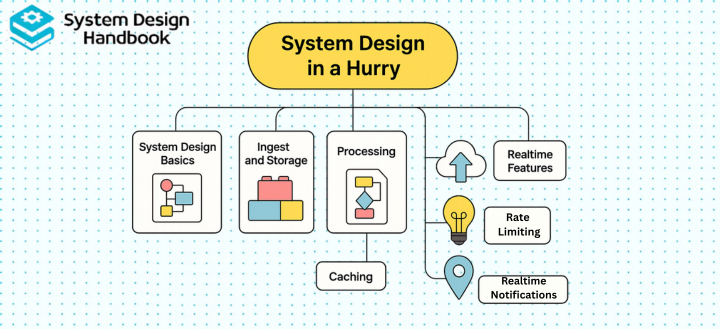
Most engineers feel overwhelmed when preparing for System Design interviews, partly because System Design seems limitless, and partly because interviewers expect clarity under extreme time constraints.
The good news is that you don’t need to master every distributed systems topic or memorize every architecture pattern to perform well. What you do need is a structured, repeatable way to think about problems quickly, even when you’re short on time.
This guide teaches you how to approach System Design in a hurry by focusing on the 20% of concepts that deliver 80% of the interview impact. Instead of drowning in theory, you’ll learn a practical framework for breaking problems down, identifying the right components, and communicating trade-offs effectively. With the right mental templates and preparation strategy, even complex systems become manageable, and you can confidently walk into any System Design interview ready to perform.
A repeatable framework for System Design in a hurry
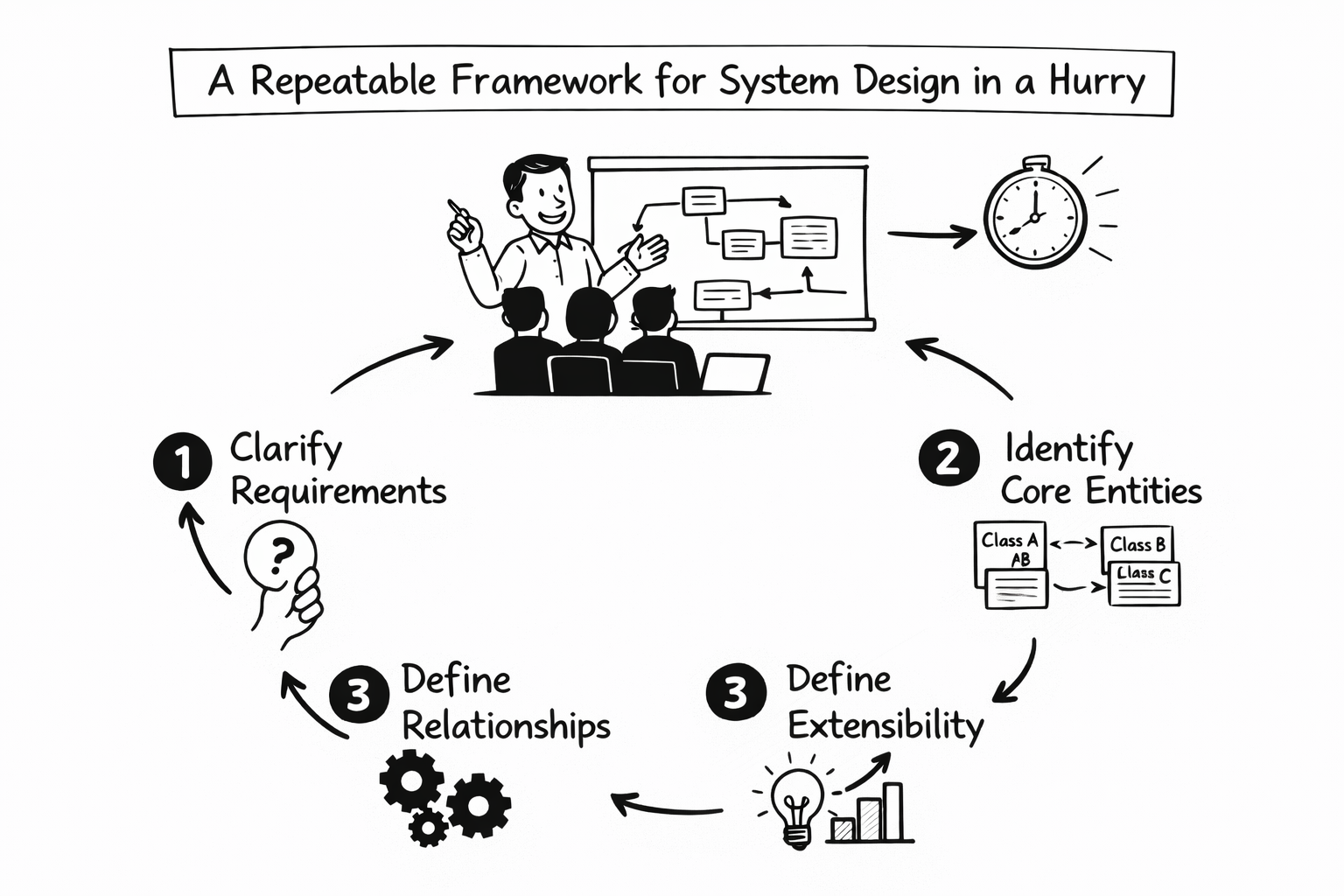
Strong candidates are not the ones who know the most technologies. They are the ones who stay structured when the clock is ticking.
When you approach System Design in a hurry, you need a predictable mental sequence that works for any problem. The following framework fits comfortably into the first 10 minutes of any design discussion.
Phase 1: Clarify requirements before drawing anything
The most common mistake is jumping into architecture before understanding the problem. When you begin, slow down deliberately and clarify what matters.
You should understand whether the system is read-heavy or write-heavy, whether real-time performance is required, what the latency expectations are, who the users are, and what scale assumptions you are designing for.
You can structure this clarification using the following model:
| Category | Questions to Resolve Early |
| Functional scope | What must the system do? |
| User behavior | How often do users interact? |
| Performance needs | Is this real-time or eventually consistent? |
| Scale assumptions | Daily active users? Peak traffic? |
| Success metrics | Latency, availability, throughput? |
Clarifying requirements prevents overengineering. It also signals maturity.
Phase 2: Define scale and constraints
Once requirements are clear, move immediately into rough estimation. Interviewers are not checking your math precision. They are checking whether you understand how systems behave under load.
At this stage, you should estimate requests per second, expected storage growth, read-to-write ratio, and latency targets. Even directional approximations demonstrate systems intuition.
For example, if 10 million users generate 50 million actions per day, you divide by 86,400 seconds to estimate roughly 600 requests per second. The exact number is less important than the method.
Phase 3: Present a high-level design
Now you outline the system. Keep it simple. Focus on layers rather than tools.
A typical modern web architecture includes:
| Layer | Purpose |
| API gateway | Entry point, routing, auth |
| Load balancer | Traffic distribution |
| Application servers | Business logic |
| Cache layer | Low-latency reads |
| Database | Durable storage |
| Object storage | Media and binary assets |
| Message queue | Asynchronous processing |
| CDN | Static asset delivery |
Your diagram does not need artistic quality. What matters is explaining why each layer exists.
Phase 4: Identify bottlenecks and scaling strategies
Every system has a stress point. Reads, writes, network bandwidth, storage growth, celebrity traffic spikes. Your job is to identify likely bottlenecks and explain how you would scale them.
Scaling strategies typically involve replication, sharding, partitioning, horizontal scaling, and caching.
Phase 5: Deep dive into one subsystem
At this point, interviewers often ask you to zoom in. Choose one area you understand well. That might be database schema design, cache invalidation, consistent hashing, feed generation logic, or message ordering guarantees.
Confidence matters here. Pick deliberately.
Phase 6: Discuss trade-offs explicitly
Trade-offs are where engineering judgment becomes visible. Strong candidates naturally articulate tensions such as latency versus consistency, availability versus partition tolerance, cost versus performance, and simplicity versus scalability.
When preparing for System Design in a hurry, internalizing this 6-phase structure is more important than memorizing specific architectures.
Core building blocks you must know
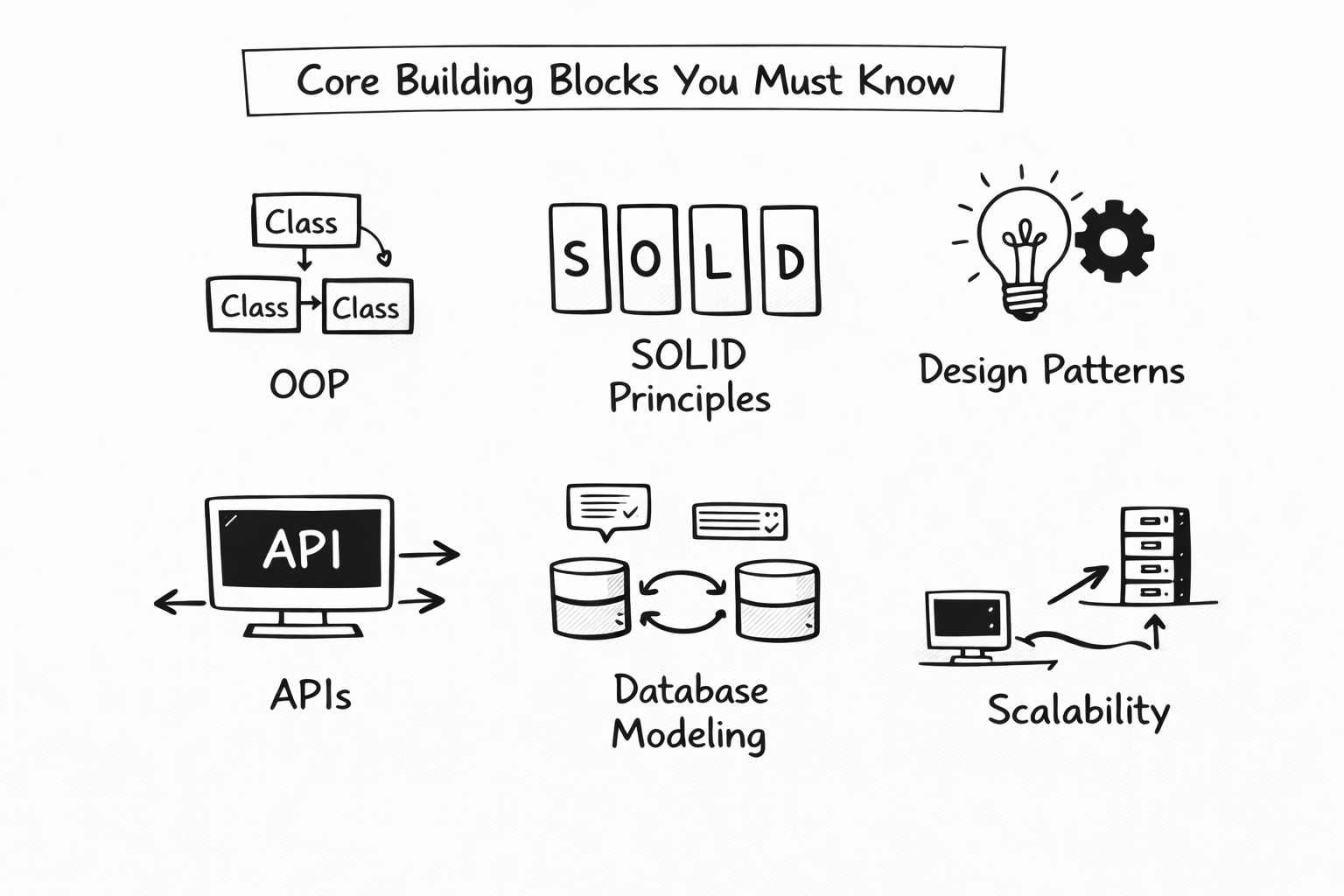
You cannot succeed at system design interviews without fluency in foundational components. The key is not deep theory. It is clarity under pressure.
Below is a concise reference table summarizing the essential components used in most architectures.
| Component | Primary Purpose | When It Becomes Critical |
| Load balancer | Distributes traffic | Preventing single points of failure |
| Cache (Redis) | In-memory fast reads | Reducing database load |
| SQL database | Strong consistency | Financial and transactional systems |
| NoSQL database | Horizontal scale | Large distributed workloads |
| Message queue | Decoupling services | Handling traffic spikes |
| CDN | Edge content delivery | Serving media globally |
| Object storage | Binary data storage | Images, videos, backups |
| Reverse proxy | SSL, routing, protection | Security and routing logic |
| Consistent hashing | Even distribution | Sharding and caching |
Understanding caching under pressure
Caching solves a majority of performance issues in modern systems. You must understand TTL policies, eviction strategies such as LRU and LFU, and cache-aside patterns.
When asked about performance improvements, mentioning layered caching—CDN, application cache, and database-level cache—demonstrates structured thinking.
SQL versus NoSQL
You should clearly explain the difference between relational databases optimized for strong consistency and structured schemas versus NoSQL systems optimized for horizontal scale and flexible schemas.
The goal is not tool memorization, but to explain trade-offs.
Reusable architecture templates for fast thinking
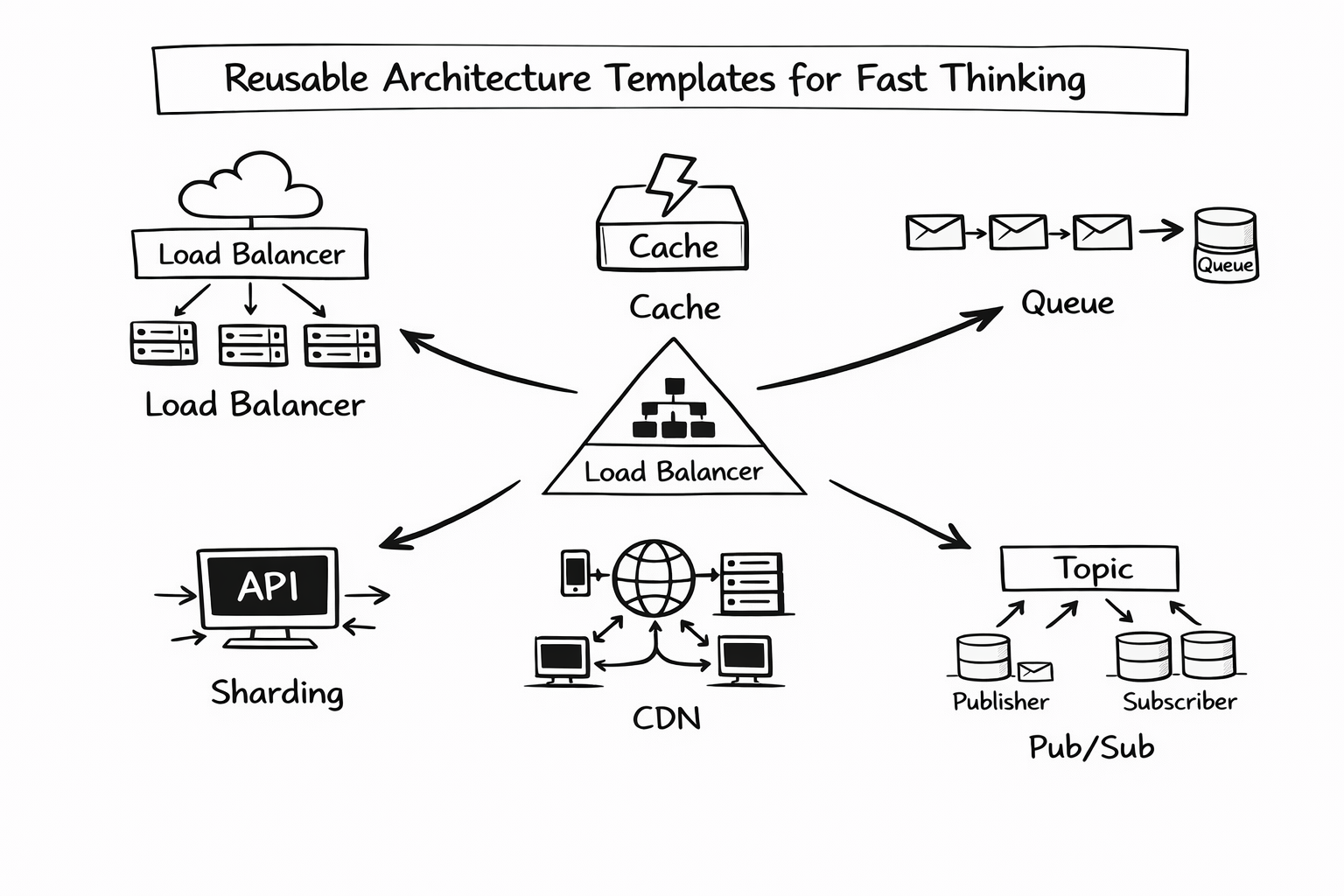
When handling System Design in a hurry, you cannot reinvent architecture from scratch each time. Instead, rely on reusable design templates.
Template 1: Read-heavy systems
Read-dominant systems such as social feeds rely heavily on caching and read replicas.
A typical read-heavy architecture looks like this:
CDN → Cache → Application layer → Read replicas → Primary database
Key focus areas include minimizing latency, distributing read traffic, and avoiding database overload.
Template 2: Write-heavy systems
Write-intensive systems stress storage layers. These often include partitioned data, message queues, and append-only logs.
A common write-heavy pattern includes load balancing, message queues for buffering, sharded databases, and batched writes.
The essential insight here is horizontal scaling through partitioning.
Template 3: Stateless microservices
Stateless services simplify horizontal scaling. Application servers do not store session data internally. Instead, state lives in databases, caches, or distributed stores.
This separation enables resilience and easier scaling.
Template 4: Real-time systems
Real-time messaging systems depend on persistent connections such as WebSockets, pub/sub brokers, in-memory state stores, and event streaming systems.
Low latency and message ordering are the dominant concerns.
Template 5: Batch and analytics pipelines
Batch systems often follow this flow:
Event ingestion → Stream processing → Batch computation → Data warehouse
Separating real-time processing from deep analytics allows scalability and architectural clarity.
Templates reduce cognitive load. Under time pressure, they prevent blank-page panic.
Latency, throughput, and capacity planning in System Design in a hurry
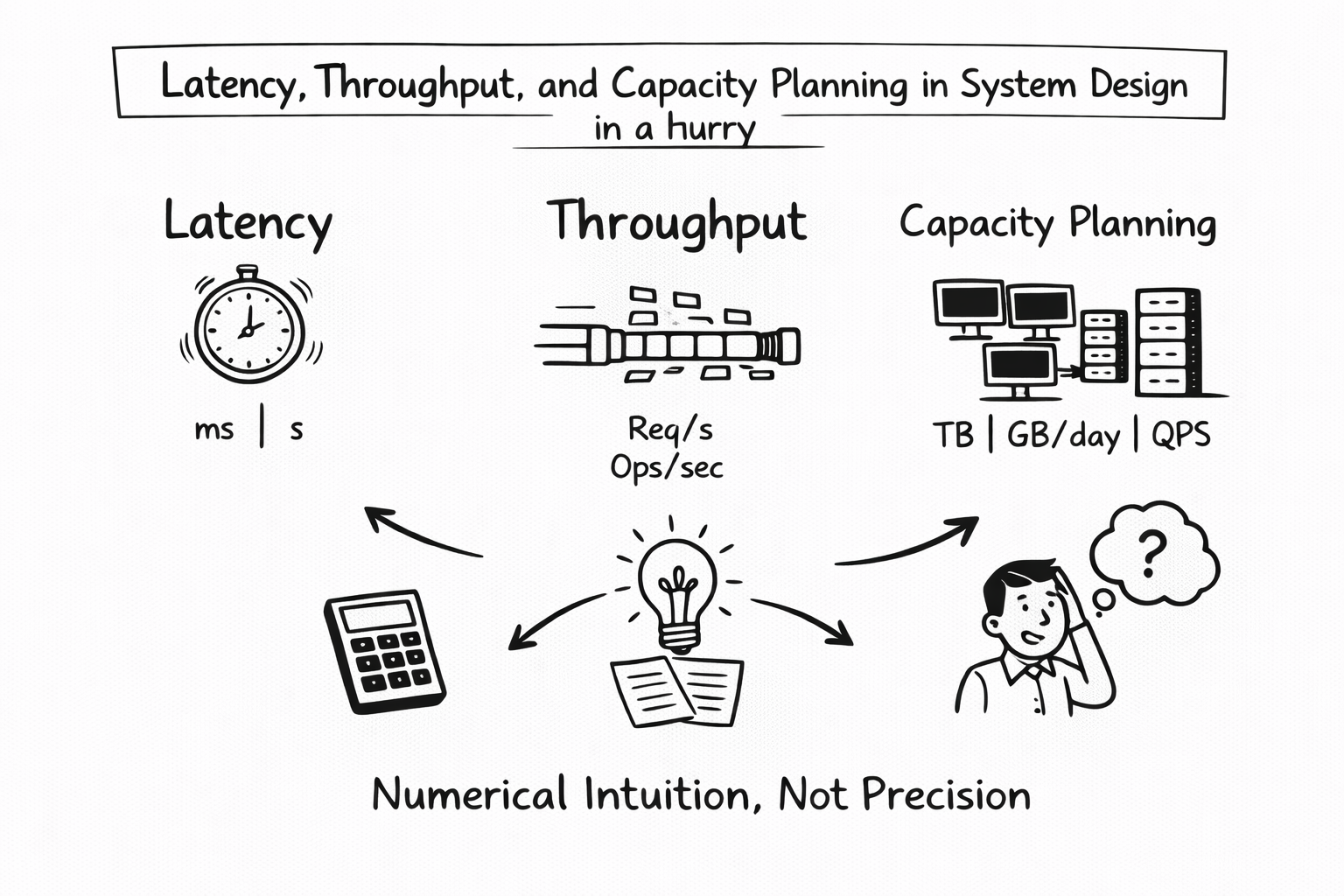
Interviewers expect numerical intuition. They do not expect precision engineering.
Latency awareness
You should understand approximate latencies between components.
| Operation | Typical Latency Range |
| Client to CDN | 10–50 ms |
| Application server processing | 1–20 ms |
| Cache hit | 1–5 ms |
| Database read | 5–20 ms |
| SSD disk access | 5–10 ms |
These numbers are directional, not exact.
Throughput estimation
Convert daily usage to requests per second. This is a critical skill for System Design in a hurry.
If users generate 100 million actions per day, dividing by 86,400 gives you an approximate per-second rate. From there, you can reason about server count and scaling requirements.
Storage estimation model
Storage planning follows a simple formula:
Data size per entry × number of entries per day × retention period
The methodology matters more than the final number.
Capacity planning summary
| Strategy | Problem It Solves |
| Vertical scaling | Immediate performance boost |
| Horizontal scaling | Long-term growth |
| Replication | Availability and read scaling |
| Sharding | Write and storage bottlenecks |
| Auto-scaling | Traffic variability |
| Backpressure mechanisms | Traffic bursts |
Understanding these trade-offs allows you to sound composed even when numbers are rough.
Quick deep dives: the most common real interview topics
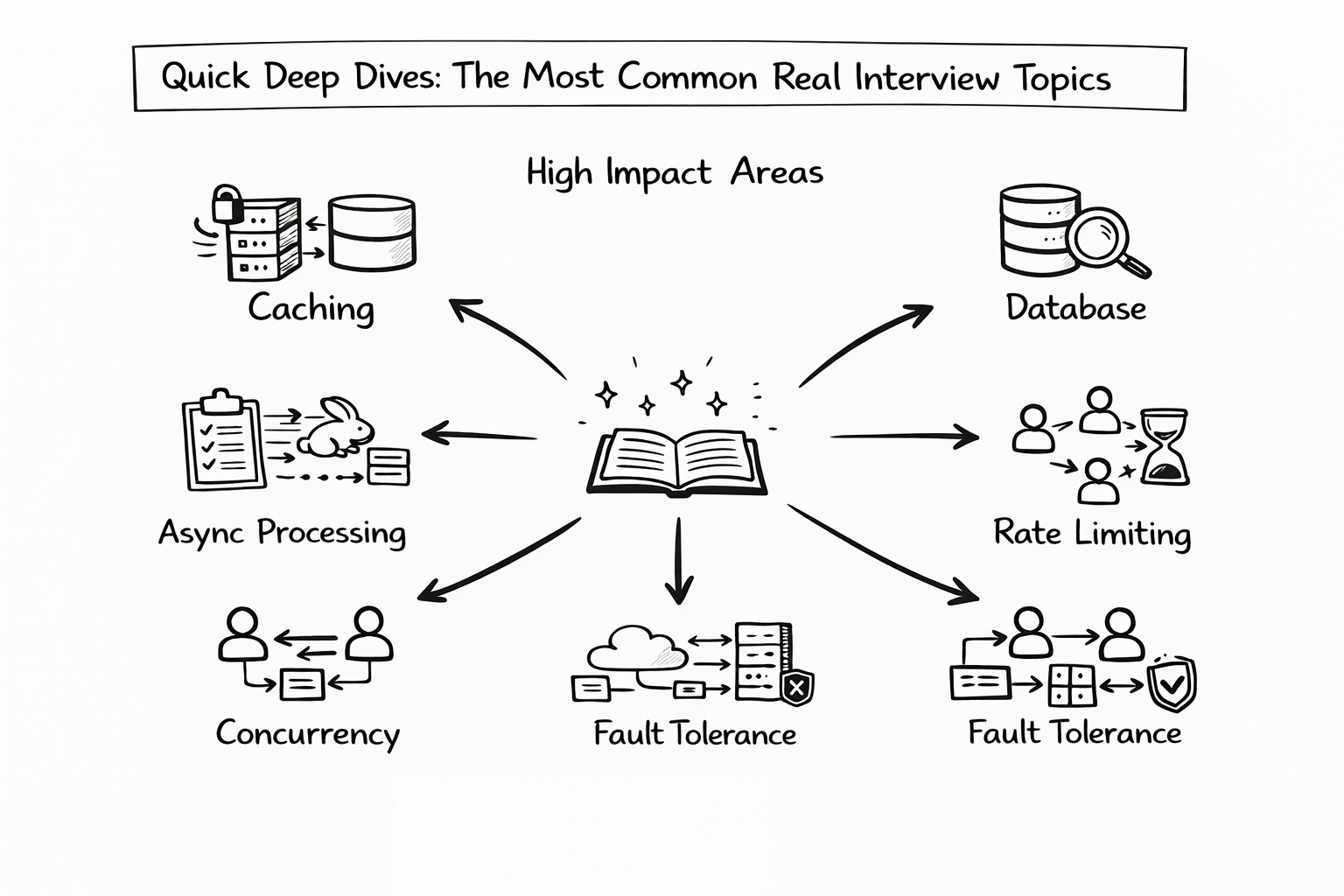
In almost every System Design interview, there comes a moment when the interviewer says, “Let’s go deeper into that component.”
When preparing for System Design in a hurry, you cannot improvise these moments. You need compact mental models for the most common subsystems. These deep dives do not need to be academic. They need to be structured, clear, and production-oriented.
Below are the high-impact areas you should be able to explain confidently.
Search and indexing
Search systems appear deceptively simple but hide substantial complexity. At a high level, search relies on building and querying an inverted index.
An inverted index maps terms to documents. When a document is created or updated, it goes through tokenization, where text is broken into searchable units. Those tokens are stored in an index structure optimized for fast retrieval.
A simplified architectural model looks like this:
| Layer | Responsibility |
| Ingestion service | Accepts document writes |
| Tokenizer | Breaks text into searchable tokens |
| Inverted index | Maps tokens to document IDs |
| Ranking engine | Orders results |
| Cache layer | Stores popular queries |
Strong candidates explain that indexing is often done asynchronously to avoid slowing down writes. Queries are served from optimized index structures, often with caching for frequently searched terms.
A clear explanation might be: search uses an inverted index to map keywords to documents, and indexing updates occur asynchronously to maintain write throughput.
Feed generation: push versus pull
Feed systems power platforms like Twitter, Facebook, and LinkedIn. They must balance high read demand with scalable write handling.
There are two classic models: push and pull.
| Model | Behavior | Trade-Off |
| Push | Precompute feeds at write time | Faster reads, heavier writes |
| Pull | Compute feed at read time | Simpler writes, slower reads |
In the push model, when a user posts content, the system immediately distributes it to followers’ feeds. This improves read performance, but increases write amplification and storage cost.
In the pull model, feeds are computed dynamically when requested. Writes remain simple, but reads become heavier.
Most real-world systems use a hybrid strategy. High-fanout users such as celebrities often use pull to avoid massive write amplification, while normal users use push for better read latency.
Being able to articulate this hybrid approach demonstrates strong production awareness.
Rate limiting
Rate limiting protects systems from abuse and overload. It prevents cascading failures in distributed environments.
Common algorithms include token bucket, leaky bucket, and sliding window counters.
| Algorithm | Core Idea |
| Token bucket | Allow bursts within limits |
| Leaky bucket | Smooth traffic at constant rate |
| Sliding window | Track requests in recent time window |
When discussing rate limiting, explain that it safeguards downstream services and preserves overall system health.
A powerful line is that rate limiting prevents cascading failures in distributed systems.
Consistent hashing
Consistent hashing is frequently used in caching, sharding, and load balancing.
Its primary advantage is minimizing data movement when nodes are added or removed.
| Property | Benefit |
| Hash ring structure | Even data distribution |
| Virtual nodes | Better load balancing |
| Minimal rehashing | Reduced redistribution cost |
If a server leaves the cluster, only a portion of keys are remapped rather than the entire dataset.
When explaining this quickly, emphasize stability during scaling operations.
Distributed locking
Distributed locking ensures that only one worker processes a task at a time.
In distributed systems, multiple nodes may compete for the same resource. A distributed lock guarantees single-writer safety.
| Tool | Purpose |
| Redis-based lock | Lightweight distributed coordination |
| Zookeeper | Strong coordination guarantees |
| Etcd | Distributed key-value coordination |
A concise explanation is that distributed locking ensures two workers do not process the same job simultaneously.
Mentioning failure handling, such as lock expiration and timeout mechanisms, further strengthens your explanation.
Real-time notifications
Real-time systems require persistent connections and efficient fan-out mechanisms.
A simplified architecture for notifications includes persistent client connections, pub/sub brokers, and delivery guarantees.
| Component | Role |
| WebSocket server | Persistent low-latency connection |
| Pub/sub broker | Broadcast events |
| Fan-out service | Deliver messages to subscribers |
| Persistence layer | Store message state |
Real-time systems often prefer WebSockets over polling due to reduced latency and persistent connectivity.
You should also mention delivery semantics, such as at-most-once or at-least-once delivery.
Media storage and delivery
Media-heavy systems require careful separation between binary storage and metadata.
The typical flow looks like this:
Upload → Object storage → Transcoding pipeline → CDN delivery
Metadata such as file references and ownership is stored in a database, while large files are stored in object storage.
| Stage | Purpose |
| Upload service | Receives file |
| Object storage | Durable storage |
| Transcoding | Format optimization |
| CDN | Global distribution |
Large files are often processed asynchronously to avoid blocking user requests.
Caching and eviction policies
Caching is one of the most common deep dive topics.
You should understand eviction strategies and expiration policies.
| Strategy | Description |
| LRU | Evict least recently used |
| LFU | Evict least frequently used |
| FIFO | Evict oldest entry |
| TTL | Automatic expiration |
You can also mention cache warming, where frequently accessed data is preloaded to reduce cold-start latency.
This topic often evolves into discussions about cache invalidation, which is famously hard in distributed systems.
Worker and queue architecture
Asynchronous processing improves resilience and smooths traffic spikes.
A worker/queue model separates request handling from background tasks.
Client request → Message queue → Worker processes job → Persistent storage update
| Component | Role |
| Message queue | Buffers tasks |
| Worker nodes | Process asynchronously |
| Storage layer | Store results |
| Retry logic | Handle failure recovery |
This architecture absorbs bursts of traffic and increases reliability.
When you can explain this clearly, you show strong production-level thinking.
Example walkthroughs: solving real System Design problems in under 15 minutes
When handling System Design in a hurry, the key is applying your structured framework quickly to real problems. Below are rapid walkthroughs that demonstrate how to stay organized under pressure.
Example 1: Design Twitter (rapid version)
Requirements clarification
The system must support posting tweets, viewing home feeds, following and unfollowing users, and showing trending topics. Posting is write-heavy, while feed viewing is read-heavy.
High-level architecture
| Layer | Responsibility |
| API gateway | Entry point |
| Tweet service | Handles writes |
| Feed service | Aggregates timelines |
| Cache layer | Stores timeline data |
| Fan-out system | Hybrid push/pull |
| Object storage | Media files |
| Search index | Hashtag search |
| CDN | Static media delivery |
Key discussion points
Hybrid fan-out helps handle high-fanout users. Timeline caching improves read performance. Tweets are partitioned by user ID and timestamp for scalability.
Deep dive
A natural deep dive is feed generation strategy and hybrid fan-out logic.
Example 2: Design a URL shortener
Requirements clarification
Users must create short links and redirect quickly. The system must handle high read and write throughput.
High-level architecture
| Component | Purpose |
| Hash ID generator | Create unique short codes |
| Key-value store | Map short code to URL |
| Cache layer | Store hot links |
| Rate limiter | Prevent abuse |
| Analytics pipeline | Track clicks |
Key insights
Base62 encoding reduces URL length. Collision avoidance mechanisms ensure uniqueness. TTL policies may expire unused links. Horizontal scaling is achieved through consistent hashing.
Example 3: Design Instagram
Requirements clarification
Users upload photos and videos, view feeds, browse discovery pages, and interact through comments and likes.
Architecture components
| Component | Role |
| Object storage | Media files |
| CDN | Media delivery |
| Transcoding pipeline | Format optimization |
| Feed ranking service | Personalized feed |
| Cache layer | Store hot content |
| Sharded database | Metadata storage |
Deep dive
The photo upload pipeline, including asynchronous transcoding and CDN distribution, is a strong deep dive candidate.
Example 4: Design a messaging system
Messaging platforms require persistent connections and strict ordering guarantees.
Key components
| Component | Role |
| WebSocket manager | Persistent client connections |
| Message queue | Durable delivery |
| Chat service | Business logic |
| Storage layer | Message persistence |
| Push notification service | Offline delivery |
| Read receipt system | Delivery confirmation |
Deep dive
If asked how to guarantee ordering, you can explain partitioning messages by chat room so all messages in a conversation are processed sequentially.
Example 5: Design a real-time dashboard
Real-time dashboards require ingestion, streaming, and low-latency updates.
| Layer | Role |
| Event ingestion | Accept events |
| Stream processor | Aggregate data |
| In-memory store | Fast retrieval |
| WebSocket layer | Push updates |
| Throttling logic | Prevent UI overload |
This example allows you to demonstrate reasoning about latency, ordering, and user experience under rapid update conditions.
Common mistakes when doing System Design in a hurry
In fast-paced interviews, even strong engineers fall into predictable traps. The pressure to “impress quickly” often leads to rushed decisions, overcomplication, or silence at critical moments. When you are handling System Design in a hurry, avoiding these mistakes can elevate you from average to top-tier almost immediately.
Below are the most common pitfalls and how to correct them with maturity and structure.
Jumping into components before clarifying requirements
One of the fastest ways to derail a System Design interview is to start naming technologies before understanding the problem. If your first sentence is “I’ll use Redis and Kafka,” you have likely skipped the most important step: understanding what you are building.
This mistake usually happens because candidates want to show technical knowledge early. However, strong engineers know that architecture follows requirements, not the other way around.
Before drawing any boxes, clarify what the system must do, who the users are, what scale you are designing for, and whether the system prioritizes latency, consistency, or availability. Asking three to five targeted questions demonstrates discipline and reduces the risk of solving the wrong problem.
When you slow down intentionally at the beginning, you gain control of the entire discussion.
Overengineering the system
Another common mistake is designing for Google-scale traffic when the interviewer describes a modest application. Candidates sometimes introduce distributed pipelines, global replication, and complex event-driven architectures without justification.
Overengineering signals poor judgment. Good System Design matches complexity to scale. A system serving a small number of users does not require elaborate sharding or multi-region consistency mechanisms.
In System Design in a hurry, simplicity is often your strongest advantage. You can always evolve the architecture later. Interviewers respect pragmatic scaling decisions far more than unnecessary complexity.
Ignoring bottlenecks and hotspots
Every system has a pressure point. Strong candidates identify it proactively. Weaker candidates present a clean architecture and stop there.
Ignoring potential hotspots, such as celebrity users in a social network or viral content generating massive traffic, suggests a lack of real-world thinking.
You should explicitly discuss how uneven load distribution can cause performance issues. Mention strategies such as even sharding, aggressive caching of hot data, or partitioning by carefully chosen keys.
When you say something like, “We need to avoid hotspots by distributing load evenly and caching high-traffic entities,” you demonstrate operational awareness.
Not discussing trade-offs
Many candidates present a solution as if it were perfect. In reality, every design decision involves compromise.
If you do not articulate trade-offs, the interviewer may assume you do not recognize them.
You should discuss tensions such as latency versus consistency, cost versus performance, and simplicity versus scalability. For example, choosing a strongly consistent database may increase latency. Using a distributed cache improves performance but introduces invalidation complexity.
When you speak about trade-offs confidently, you signal senior-level engineering judgment.
Forgetting caching entirely
Caching is one of the most powerful tools in System Design. Yet under pressure, candidates sometimes omit it completely.
Since many systems are read-heavy, caching often solves the majority of performance bottlenecks. You should explain what data would be cached, how long it would remain cached, and what eviction strategy would be used.
Even a brief explanation of time-to-live policies and eviction mechanisms such as LRU shows depth. Neglecting caching can make your architecture appear incomplete.
No strategy for database growth
Designing around a single database instance is another red flag. Systems grow. Data accumulates. Write load increases.
If you do not mention replication, sharding, partitioning strategies, or schema evolution, your design may appear short-sighted.
You do not need to build the scaling solution immediately, but you should explain how the system would evolve as traffic increases. That long-term thinking demonstrates production maturity.
No discussion of failure handling
Distributed systems fail. Networks drop. Services crash. Queues overflow.
If your architecture assumes everything works perfectly, it feels unrealistic.
Interviewers want to see that you consider retries, dead-letter queues, circuit breakers, and graceful degradation strategies. For example, if a recommendation service fails, perhaps the system can fall back to a default feed rather than returning an error.
Even a brief discussion of resilience dramatically strengthens your design.
Not communicating your thought process
Silence is one of the most damaging interview behaviors. Some candidates pause for long periods while thinking, which makes it difficult for interviewers to evaluate their reasoning.
System Design interviews reward structured verbal thinking. Explain what you are considering. Outline your plan before diving in. Even if you are unsure, articulate your reasoning path.
Clear communication often outweighs minor architectural imperfections.
Avoiding these mistakes does not require genius. It requires awareness. When you consciously avoid rushing, overcomplicating, or staying silent, you immediately move into the top tier of candidates handling System Design in a hurry.
Preparation strategy and recommended resources
Mastering System Design quickly requires focus. Reading endlessly without structure rarely leads to confidence. When preparing for System Design in a hurry, you need a deliberate timeline and concentrated repetition.
Below are practical preparation strategies based on different time constraints.
One-week crash preparation plan
If you have only one week before your interview, your preparation must be tactical.
On the first day, internalize the 10-minute framework. Practice outlining requirements, scale estimation, high-level design, bottlenecks, deep dives, and trade-offs without hesitation.
Over the next few days, focus on core components such as caching, load balancing, databases, sharding, indexing, messaging systems, and real-time communication patterns. Do not dive into obscure distributed algorithms. Focus on interview-relevant fundamentals.
Toward the end of the week, practice complete designs under time pressure. Choose common scenarios such as designing Twitter, a URL shortener, or a chat system. Simulate a 15-minute design session and critique your structure.
Finally, conduct at least one mock interview. Feedback, even brief feedback, is invaluable.
This plan is intense but effective for urgent interviews.
Two-week accelerated plan
With two weeks, you can balance concept review and applied practice.
During the first week, strengthen your understanding of core building blocks and reusable architecture templates. Review caching strategies, sharding, indexing, rate limiting, feed generation, and consistent hashing. Practice explaining each concept clearly in under two minutes.
In the second week, shift heavily toward applied design practice. Work through four to six complete System Designs. Time-box yourself to simulate real interviews. Focus on communication clarity as much as architecture quality.
Repetition builds speed. Speed builds confidence.
Thirty-day deep preparation plan
If you have a full month, you can aim for comprehensive readiness.
Spend the first two weeks mastering foundational concepts and component behavior. Understand how databases scale, how messaging systems behave under load, how caching layers interact, and how distributed failures propagate.
During the final two weeks, complete at least ten to twelve full System Designs. Conduct multiple mock interviews, ideally with peers or mentors who can challenge your reasoning. Review your weak spots, refine your diagrams, and sharpen your explanations.
By the end of 30 days, you should be able to approach almost any common System Design question with calm structure.
Recommended Resource: Grokking the System Design Interview
Grokking the System Design Interview
Why this is the best resource for System Design in a hurry:
- Covers all common design patterns (feeds, queues, sharding, caching)
- Provides diagrams, trade-offs, and structured solutions
- Helps candidates recognize recurring interview patterns
- Breaks down complex systems into easy-to-learn templates
- Great for time-boxed study sessions
This course is widely used by candidates interviewing at FAANG and top-tier companies.
You can also choose the best System Design study material based on your experience:
Final note on preparing for System Design in a hurry
Preparation for System Design is not about memorizing answers. It is about internalizing patterns.
When you combine structured thinking, awareness of common mistakes, repeated timed practice, and strong communication skills, you dramatically improve your performance under pressure.And when you walk into an interview prepared to handle System Design in a hurry, the stress feels manageable because you are not improvising. You are executing a framework you have rehearsed.
