
How a course teaches a topic matters as much as what it covers, especially for something as abstract as System Design. Looking back on my time with Grokking Modern System Design Interview, five parts of its teaching helped me most. They’re the way its design lessons walk through RESHADED, the building blocks chapter, the interactive illustrations, the end-of-chapter quizzes, and the lessons on real system failures.
RESHADED walkthroughs
Learning RESHADED as a list of eight steps is easy. What made it stick for me was watching the design lessons use it, problem after problem, until the order felt automatic.
The newsfeed lesson is a good example. It opens with functional and non-functional requirements, then estimates the load. Five hundred million daily users opening the app ten times a day comes to about five billion requests, or roughly 58,000 per second. From there, it names the building blocks it needs, sketches the high-level design, defines the APIs and storage schema, works through the detailed design, and closes by checking each requirement against what it built.
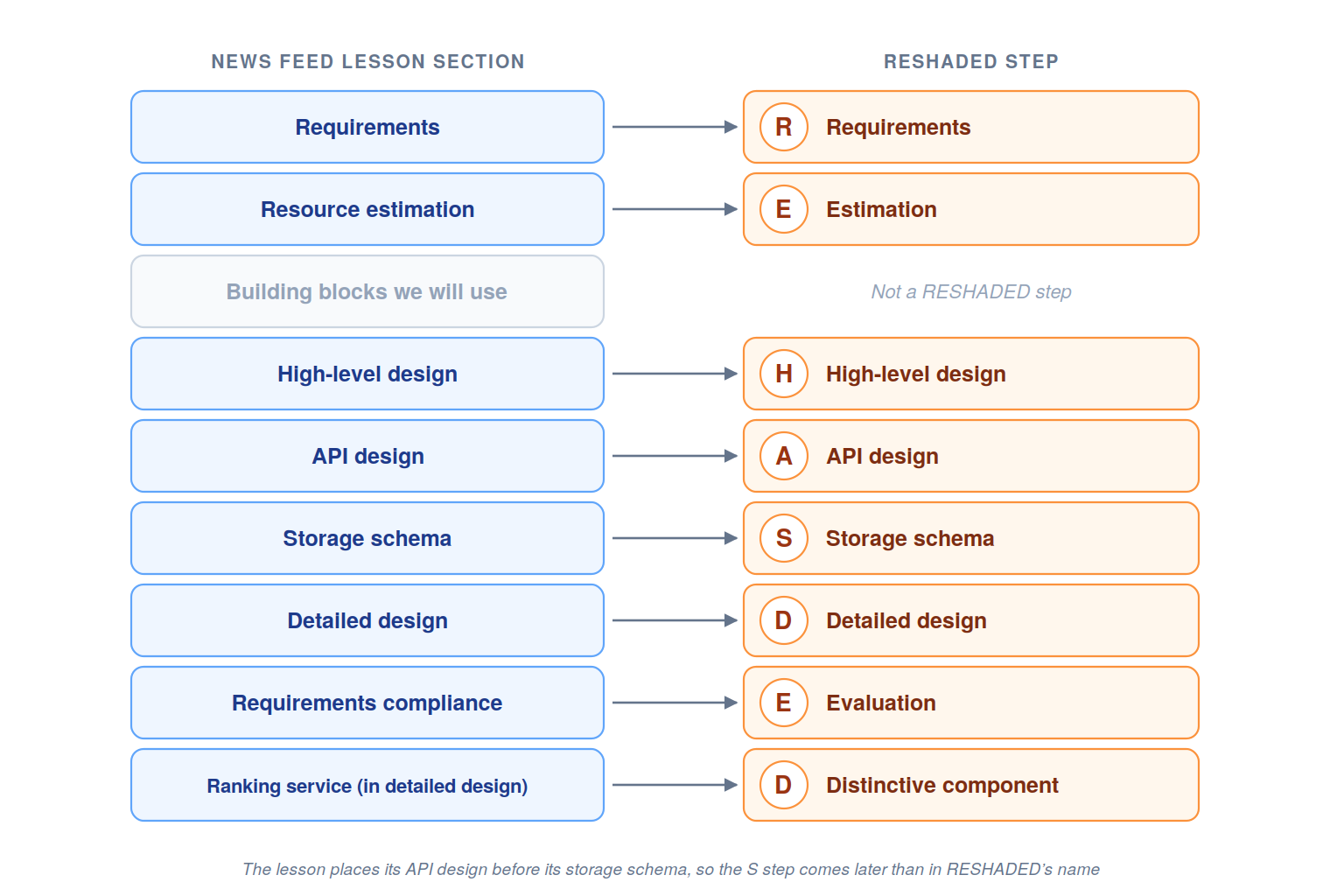
The figure maps the news feed lesson’s sections onto RESHADED’s steps.
The order isn’t rigid, though. The lesson defines its APIs before its storage schema, and its distinctive component, the ranking service, sits inside the detailed design. Those small adjustments showed me that RESHADED is a guide for thinking, and that’s how I’d use it in an interview.
That habit is what I carried into my practice.
Building blocks chapter
The building blocks chapter helped because each block is a complete small design, with its own requirements, design, and trade-offs. The rate limiter shows how much depth hides in a component most diagrams treat as a single box.
Its design splits the job into parts. A rule database stores the limits each service owner sets, and a background retriever keeps a cache of those rules fresh. A client identifier builder turns each request into a key, and a decision-maker applies a rate-limiting algorithm. Requests over the limit get an HTTP 429 response, and depending on whether throttling is hard, soft, or elastic, they’re either rejected or queued for later.
The algorithms were where I learned the most:
Token bucket: Allows bursts while tokens remain, using very little memory.
Leaking bucket: Processes requests at a fixed rate, so traffic flows out smoothly.
Fixed window counter: Simple, but bursts at the edge of two windows can briefly let through twice the limit.
Sliding window log: Precise, at the cost of storing a timestamp for every request.
Sliding window counter: Weights the previous window’s count to approximate a rolling limit cheaply.
Seeing one block all the way from its rules to its race conditions changed how I treated every other box in a diagram.
Interactive illustrations
System Design is hard to learn from text alone, because so much of it is about movement, such as requests flowing, keys shifting, and servers joining and leaving. The course’s step-by-step slideshows show that movement one frame at a time, and they did more for my understanding than any paragraph.
Consistent hashing is the one I remember best. In text, keys are placed on a ring and stored on the next server clockwise. The slides show it happening. A key lands on the ring and travels to its server, and when a new server joins, only the keys just behind it move.
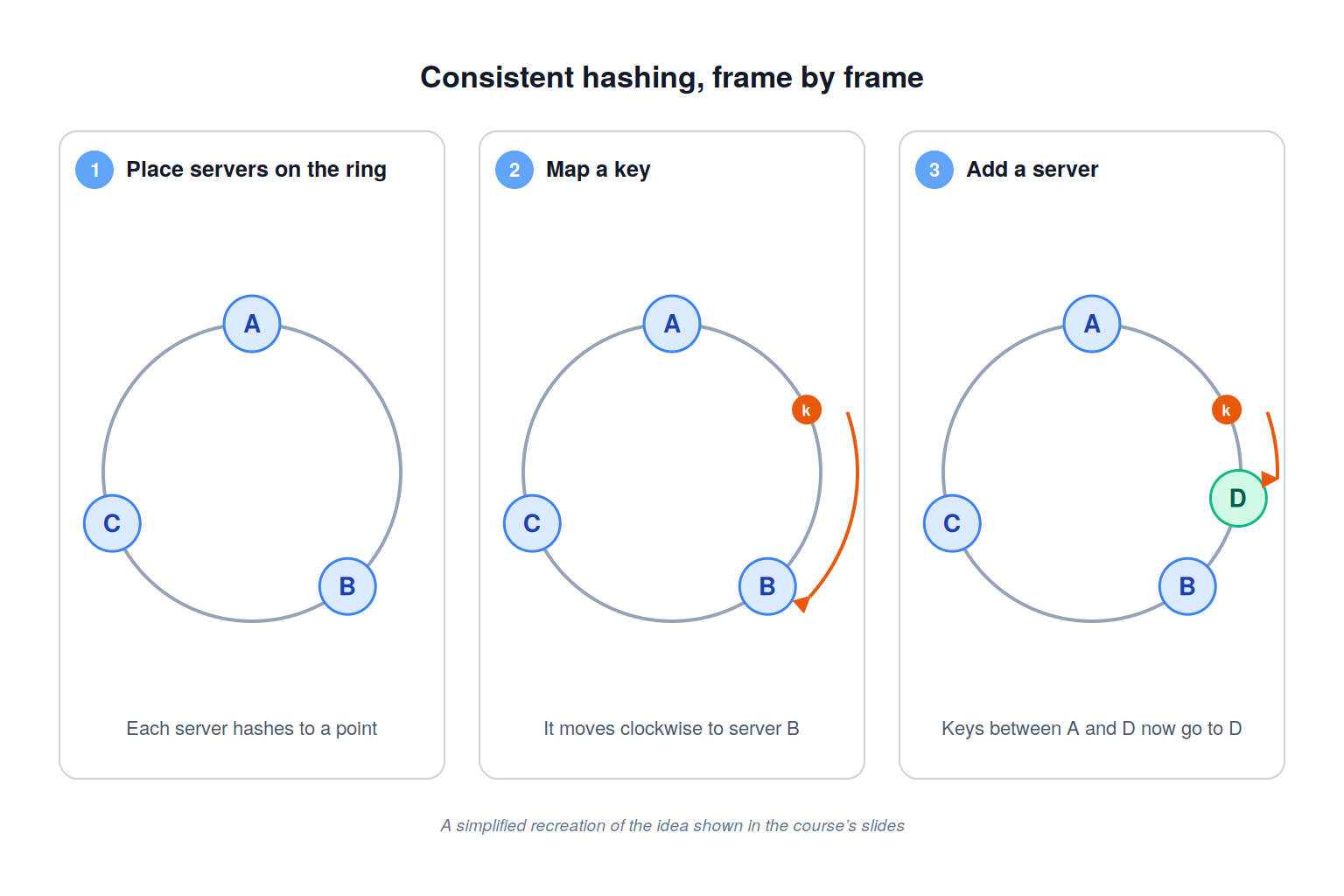
The figure recreates that idea in three frames, from placing a key to adding a server.
Other slideshows worked the same way. The Uber design steps through a ride from a driver’s first location update to a confirmed match. The rate limiter’s slides follow a single request, ID 101, as it’s checked against its limit and allowed through.
Those frames are what I pictured later, whenever an interviewer asked what happens when a server fails.
End-of-chapter quizzes
Many chapters end with a short quiz on the design they just covered, and those quizzes were my most honest check. Reading a chapter can leave you feeling you understand it. A quiz shortly afterward shows whether you can still recall why the design looks the way it does.
The news feed chapter’s technical quiz is a good example. Its first question asks which component stores the relationships between users. The answer is the graph database, a choice the lesson explains earlier, and the quiz gives feedback right away, so I could reread only the part I’d missed.
Answering questions like that pushed me past remembering a component’s name to remembering why the design chose it. That second kind of recall is exactly what an interviewer probes when they ask you to justify a box on your diagram.
By the end of the course, my quiz results had become a quick map of which designs I could explain and which I still needed to revisit.
Spectacular failures lessons
The “Lessons from System Failures” chapter came last for me, and it showed what all the earlier designs are protecting against. The details that stayed with me were the ones that happened outside the obvious blast radius.
When Facebook’s 2021 outage took its own services offline, apps that relied on Facebook to sign in their users failed too, even though their own systems were healthy. Recovery was slower because the physical security that protects the data centers also delayed the engineers who needed to get inside.
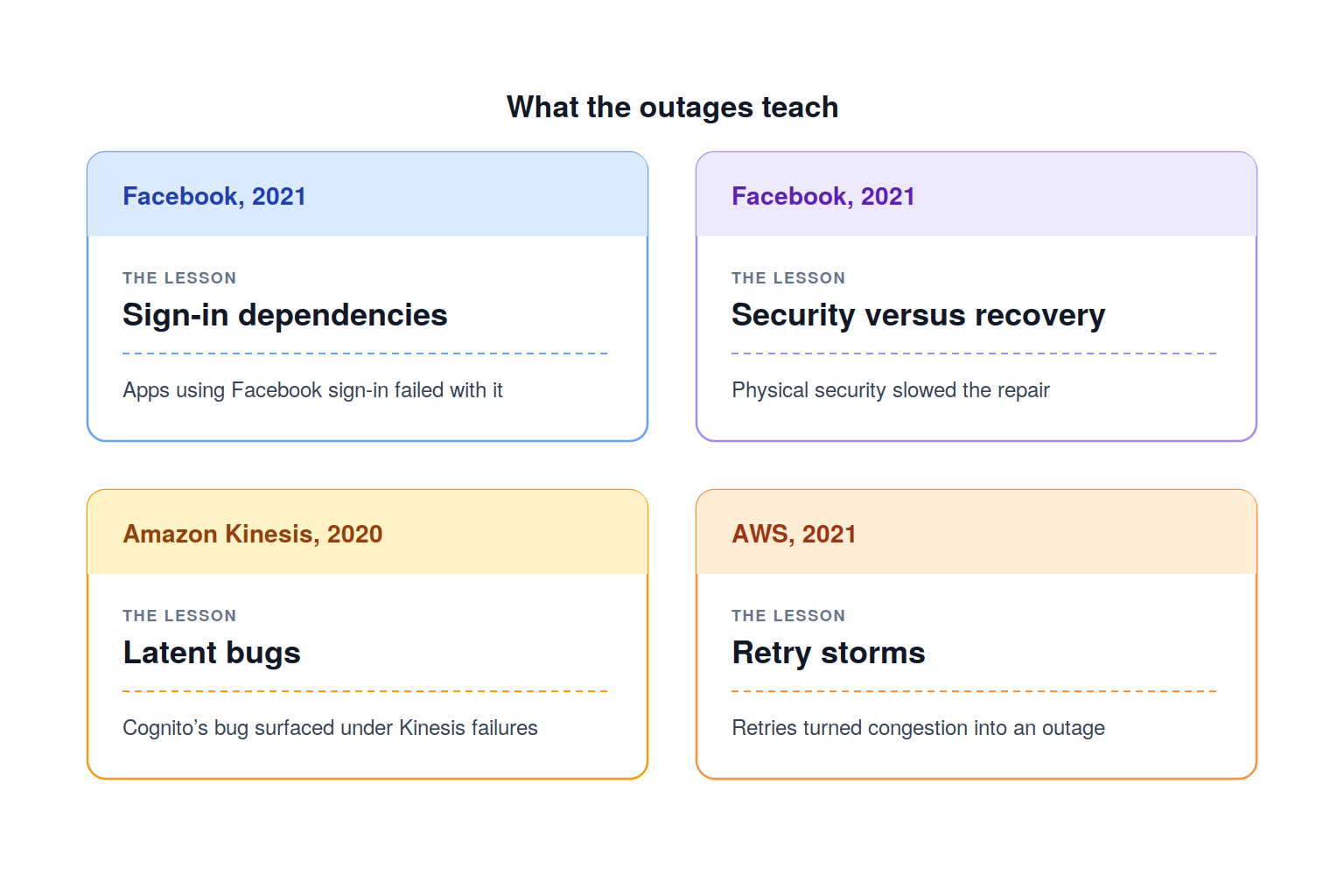
The figure pairs each case with the lesson that stayed with me most.
The Amazon cases add two more. A latent bug in Cognito surfaced only when Kinesis, which it depended on, started failing. And in 2021, a retry storm turned congestion on an internal network into a much wider outage.
Looking back, the thread running through all five is that the course shows ideas in motion. Walk through RESHADED inside real lessons, study one building block in full, step through the slideshows, quiz yourself after a short break, and read the outages for the details outside the blast radius. That’s how the material turned from something I’d read into something I could explain.