

System Design courses look like a straight line from the first lesson to the last, and they rarely are. I used Grokking Modern System Design Interview on Educative to prepare for my first interview, and these are the ten things I’d want to know before opening the first lesson.
They cover what to know first, how long it takes, how the Modern course differs from older versions, and how to use the mocks, quizzes, and interactive lessons.
Prerequisite networking and database knowledge
1. You can learn most of the networking inside the course
The course teaches the networking pieces that System Design leans on. A lesson on remote procedure calls sits in the preliminary concepts, and the building blocks begin with the Domain Name System (DNS) lessons and load balancers. What helps before you start is a feel for how a client reaches a server and what a request does on the way. If a term stops you, look it up, then keep going.
The list also tells you which early lessons to read slowly.
2. Check your database basics against the databases chapter
The databases chapter covers an introduction, types of databases, replication, partitioning, and trade-offs. You don’t need all of it beforehand, but you should be comfortable with tables, indexes, and the difference between Structured Query Language (SQL) and NoSQL storage. The first lesson of the course also expects some familiarity with distributed systems and points complete beginners to Grokking the Fundamentals of System Design first.
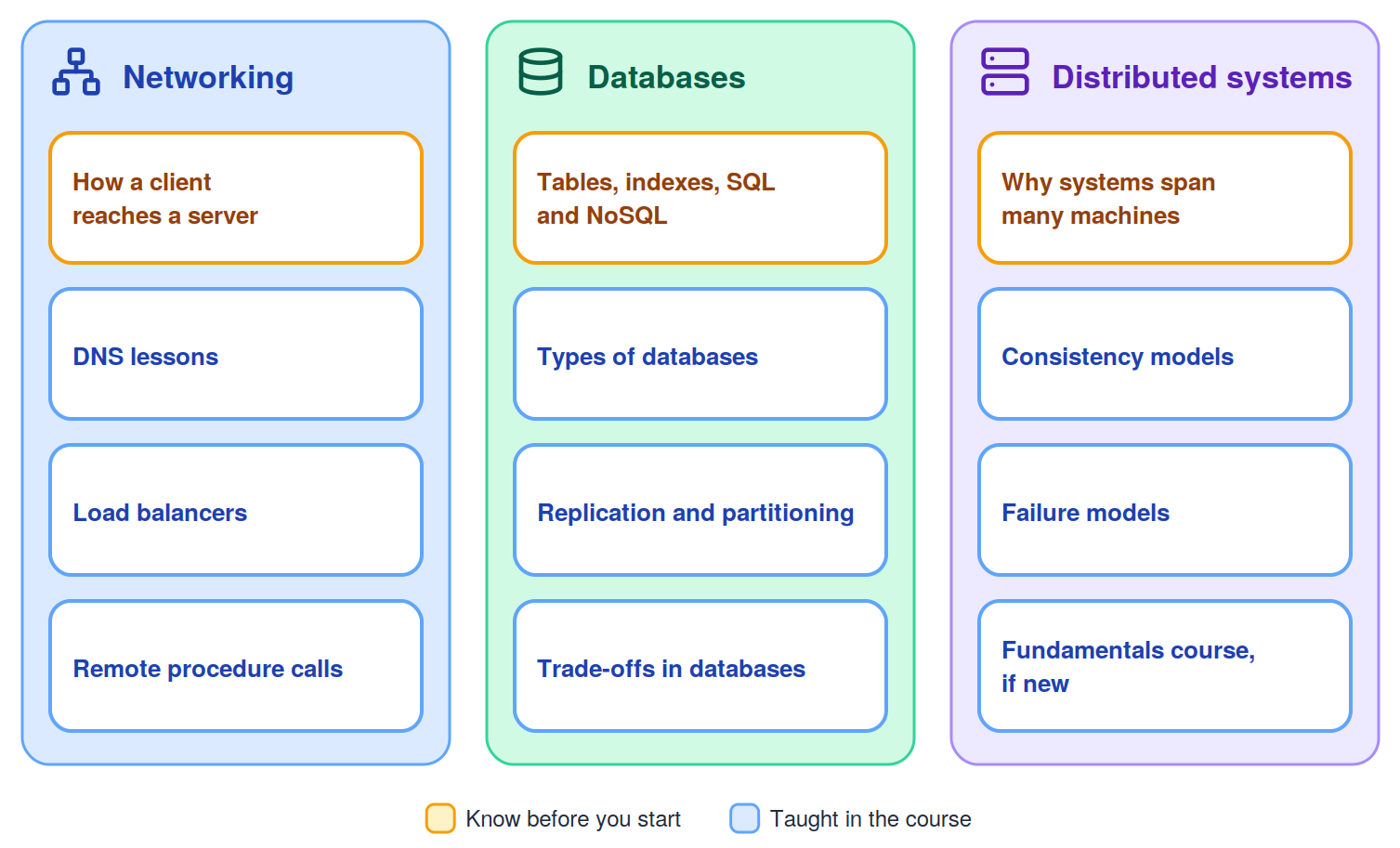
A short gap list now saves you from stalling in the middle of a design.
Course length and time commitment
3. The lessons take about 26 hours, and preparation takes longer
The course page lists about 26 hours of lessons across 209 lessons and 50 modules. The prep-time lesson puts beginner preparation at 4–10 weeks and experienced preparation at 3–6 weeks, both at 2–3 hours a day, five days a week. That works out to 40 to 150 hours for a beginner and 30 to 90 for an experienced candidate, so the lessons are a fraction of the work. The rest goes to practice, quizzes, and mocks.
Write the weekly plan as hours for new lessons and hours for practice, so neither one crowds out the other.
4. Start with the free lessons and the trial
The course page lists 78 free lessons, including the first lesson of most chapters and the full key-value store chapter, plus a 21-day free trial. Use them to test the pace and the teaching style before you commit to a schedule. Then set your weekly hours from the prep-time ranges, and check what the trial includes before you plan around it.
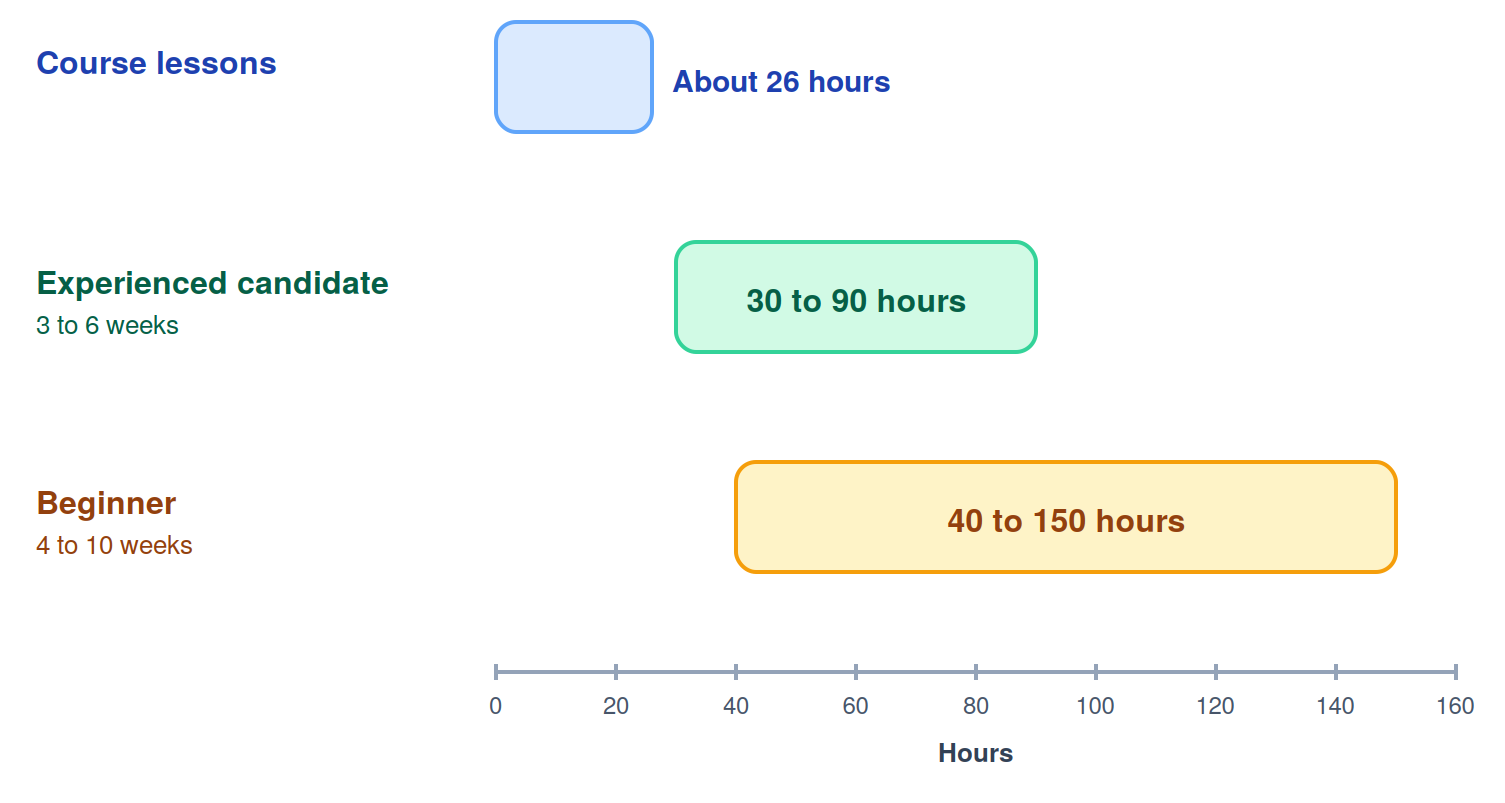
A budget in hours makes a missed week visible, and that makes it easy to correct.
Grokking Modern vs classic Grokking
5. Check that you’re looking at the Modern course
Searching for “Grokking System Design” returns more than one course with similar names. The one this post covers is Grokking Modern System Design Interview, whose course page shows “Created by Fahim ul Haq.” Check the title and the author line before you buy, and before you trust a review, because notes written for another course may not match these lessons.
Confirming the title and author takes little time and keeps you from studying the wrong material.
6. Know what Modern adds
The course structure lesson says the course contains updates to decades-old System Design courses and adds new design problems. In practice, that means RESHADED as an answer structure, 16 building blocks designed once and reused, 20 design problems that include four artificial intelligence (AI) designs, a chapter on real outages, and eight AI mock interviews. When you read a review, check whether it mentions these, since they tell you which version it describes.
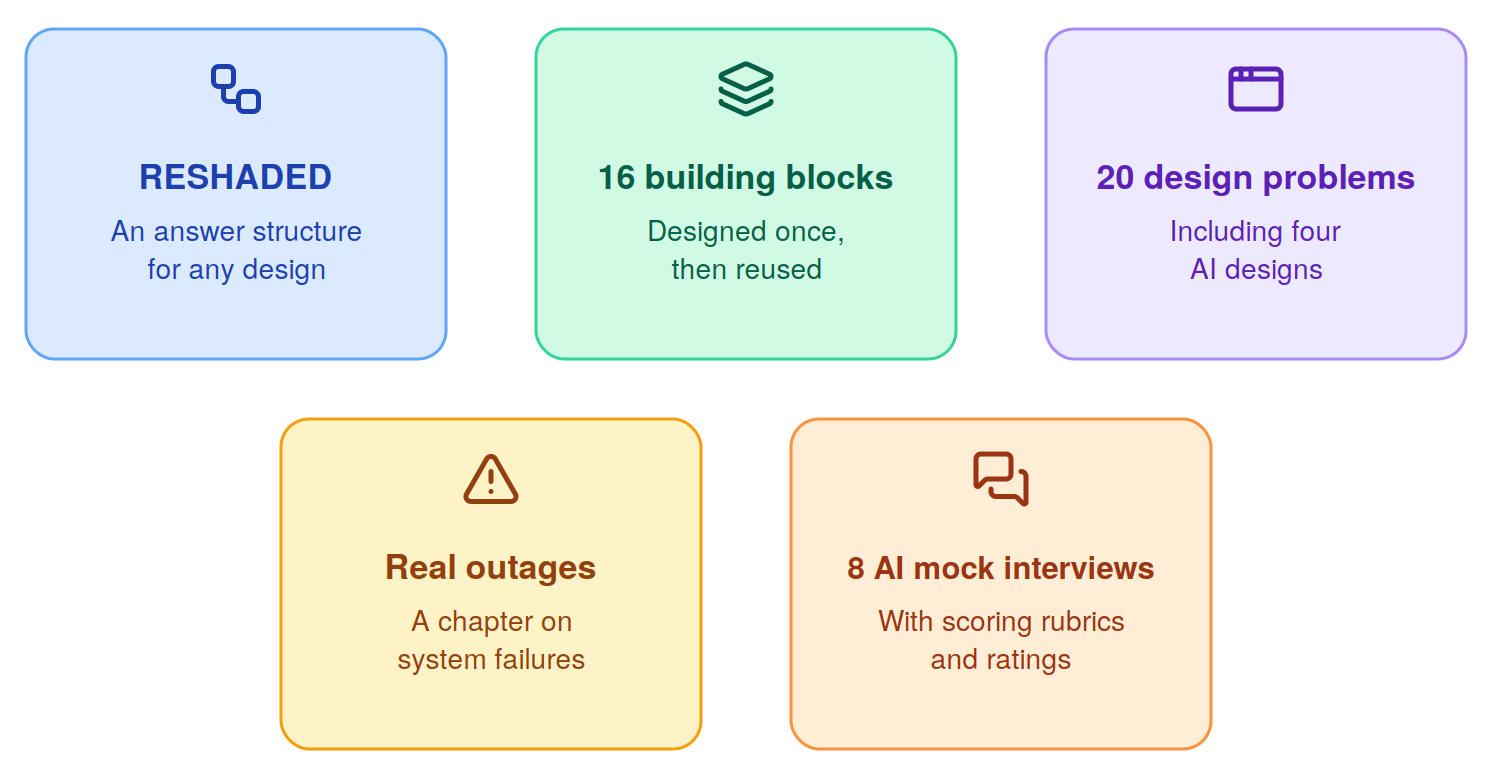
Knowing which version you have keeps your notes and your expectations in line.
Using the AI mock interviewer
7. Mocks follow the topics they test
There are eight AI mock interviews. Three follow building blocks, which are the distributed cache, pub-sub, and blob store, and five follow designs, which are TikTok after YouTube, Uber Eats after Uber, NewsFeed after Instagram, Facebook Messenger after WhatsApp, and ChatGPT. Premium includes three mocks a month and Premium Plus seven, and Standard has none. Plan each mock for right after the chapter it tests.
For example, the cache mock follows the cache chapter, so a weak rating points you back to eviction and write policies.
8. Set it up like the real thing
The mock interviews lesson describes structured stages, rising difficulty, and a rating from Unsatisfactory to Excellent. The distributed cache mock’s start page asks for your experience level and the role you’re applying for, says the interviewer adapts, and lets you ask for hints or clarifications. It also includes a diagramming widget. I’d answer out loud, draw as I talk, and read the rating as a pointer to the lesson to revisit.
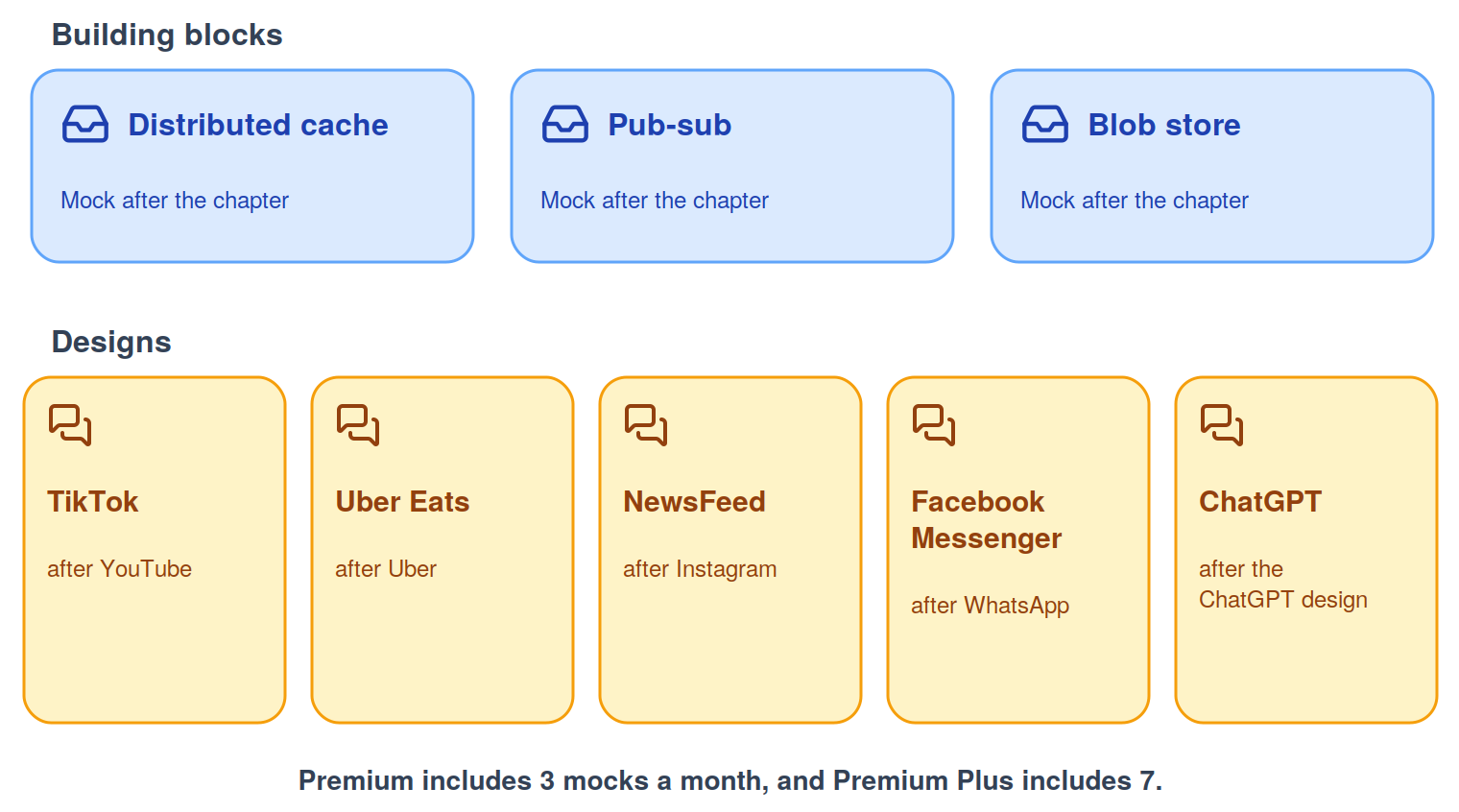
A mock pays off when you act on the rating before the next one.
Quizzes and interactive illustrations
9. Quizzes give instant feedback
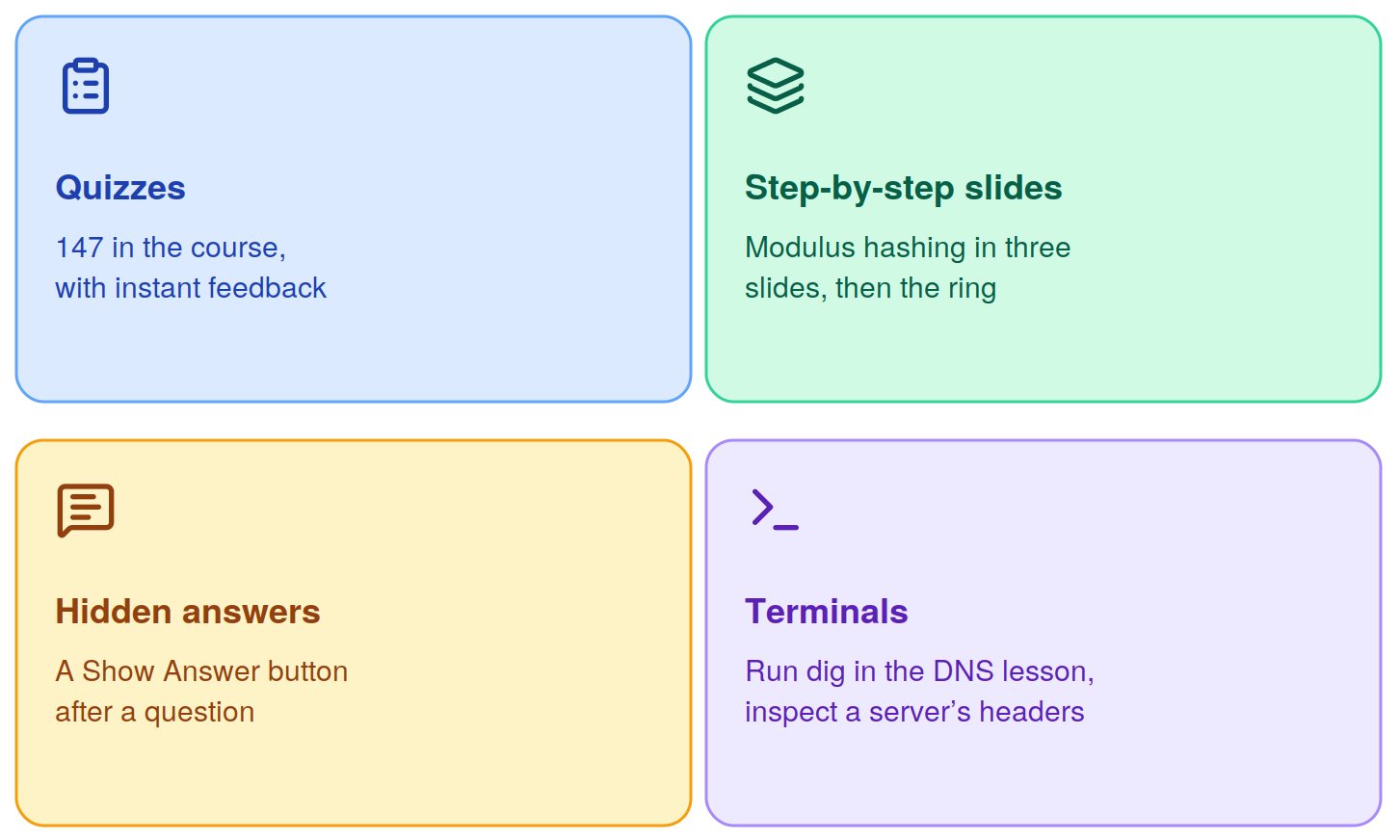
The course lists 147 quizzes with instant feedback. A dozen chapters end with a quiz lesson, and some designs, such as the newsfeed, carry their own technical quiz. Answer before you read the explanation, and note which topics you miss, since those are the lessons to reopen.
The same habit works for quizzes, since a written answer shows whether you recognized the fact or could have produced it.
10. Illustrations you can step through
Many lessons use step-by-step slides. The key-value store chapter walks through modulus hashing in a three-slide sequence before it introduces consistent hashing. Some lessons add hidden answers behind a Show Answer button, and others add a terminal. The DNS lesson has you run dig and read the answer section, and the YouTube evaluation has you inspect a server’s Hypertext Transfer Protocol (HTTP) response headers. Try each one before you read on, so you can check your own prediction.
Before you start, list the terms you can’t explain, set a weekly hour budget from the prep-time ranges, and confirm you have the Modern course. Then work through one chapter, take its quiz, and schedule the mock that follows it. Keep the plan small enough that you can repeat it every week.
