

Client-Side Rendering Vs Server-Side Rendering: A Complete Guide
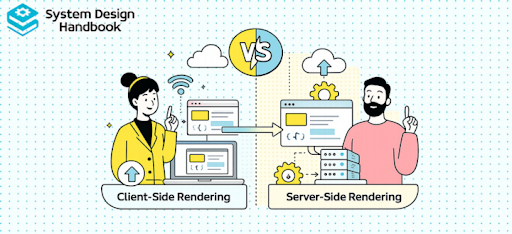
When you build modern web applications, it is easy to assume that rendering is purely a frontend concern. In reality, the choice between client-side rendering vs server-side rendering affects the entire system, including backend load, network performance, and user experience. This makes rendering strategy a critical architectural decision rather than just a UI implementation detail.
You should think of rendering as the bridge between your backend data and what users actually see. How and where that rendering happens determines how fast your application feels, how easily it scales, and how well it performs under real-world conditions.
The Direct Impact On User Experience
Rendering strategy directly influences how quickly users can see and interact with your application. A slow initial load or delayed interaction can lead to a poor user experience, even if the application is technically functional. This is why metrics like time to first paint and time to interactive are closely tied to rendering decisions.
You should recognize that users care about perceived performance more than technical implementation. If your application feels fast and responsive, users are more likely to stay engaged, regardless of how the system is built under the hood.
Why Rendering Affects SEO And Discoverability
Search engines rely on content being easily accessible and readable. If your application depends heavily on client-side rendering, search engines may struggle to index your content effectively. This can negatively impact your visibility and ranking.
You should consider SEO requirements early in your design process. Rendering strategies that provide pre-rendered content often perform better in terms of discoverability, which is critical for content-driven applications.
Rendering Strategy As A System Design Decision
From a system design perspective, rendering determines how work is distributed between the client and the server. Client-side rendering shifts processing to the browser, while server-side rendering increases backend responsibility. This affects infrastructure cost, scalability, and performance.
You should think of this as a trade-off between client resources and server resources. Choosing the right balance is essential for building efficient and scalable systems.
Why This Topic Appears In Interviews
In system design interviews, client-side rendering vs server-side rendering is used to evaluate your ability to reason about trade-offs. Interviewers want to see how you connect frontend behavior with backend architecture and user experience.
You should approach this topic with a focus on practical implications rather than definitions. Demonstrating an understanding of real-world impact is what sets strong candidates apart.
What Is Client-Side Rendering (CSR)? A Practical Breakdown
Client-side rendering is an approach where the browser is responsible for generating the user interface. When a user visits a page, the server sends a minimal HTML file along with JavaScript. The browser then executes the JavaScript to fetch data and render the content dynamically.
You should think of CSR as shifting the rendering responsibility to the client. This allows the server to focus on delivering data while the browser handles presentation.
How The CSR Flow Works
To understand CSR clearly, it helps to break down the request flow. When a user loads a page, the browser first receives a basic HTML structure. It then downloads the JavaScript bundle, which contains the application logic. After that, the JavaScript fetches data from APIs and renders the UI.
| Step | Action |
|---|---|
| 1 | Browser requests page |
| 2 | Server returns HTML and JS bundle |
| 3 | JavaScript loads in browser |
| 4 | API calls fetch data |
| 5 | UI is rendered dynamically |
This process highlights why CSR can feel slow initially but becomes faster after the first load.
Where CSR Is Commonly Used
Client-side rendering is widely used in single-page applications where interactivity is a priority. Applications like dashboards, admin panels, and collaborative tools benefit from CSR because they require frequent updates and dynamic interactions.
You should recognize that CSR is particularly effective when the user stays within the application for extended periods. Once the initial load is complete, navigation becomes fast and seamless.
Advantages Of Client-Side Rendering
CSR provides a highly interactive user experience because the browser handles most of the rendering logic. This allows for smooth transitions and real-time updates without requiring full page reloads.
You should also consider that CSR reduces server workload. Since the server mainly provides data, it can handle more requests without needing to generate HTML for each one.
Limitations Of CSR
While CSR offers flexibility and interactivity, it comes with trade-offs. The initial load time can be slow because the browser must download and execute JavaScript before rendering content. This can lead to delays in displaying meaningful information.
You should also be aware of SEO challenges with CSR. Since content is rendered in the browser, search engines may not always index it effectively, which can impact discoverability.
What Is Server-Side Rendering (SSR)? Understanding The Backend Role
Server-side rendering takes a different approach by generating the HTML on the server before sending it to the client. When a user requests a page, the server processes the request, fetches the necessary data, and returns a fully rendered HTML document.
You should think of SSR as moving the rendering responsibility to the server. This allows the browser to display content immediately without waiting for JavaScript execution.
How The SSR Flow Works
The SSR process involves multiple steps that occur before the response reaches the client. The server receives the request, executes application logic, retrieves data, and generates HTML. This HTML is then sent to the browser, which can display it instantly.
| Step | Action |
|---|---|
| 1 | Browser sends request |
| 2 | Server processes logic |
| 3 | Data is fetched |
| 4 | HTML is generated |
| 5 | Rendered page sent to client |
This flow explains why SSR improves initial load performance and user perception.
Where SSR Is Commonly Used
Server-side rendering is commonly used in applications where SEO and initial load performance are critical. Examples include e-commerce platforms, blogs, and marketing websites where content needs to be indexed by search engines.
You should recognize that SSR is particularly valuable for first-time visitors. It ensures that users see meaningful content immediately, which improves engagement and retention.
Advantages Of Server-Side Rendering
SSR provides faster initial rendering because the browser receives fully prepared HTML. This improves perceived performance and ensures that users can see content quickly. It also enhances SEO by making content easily accessible to search engines.
You should also consider that SSR simplifies client-side logic. Since much of the work is done on the server, the browser has less processing to handle during the initial load.
Limitations Of SSR
While SSR improves initial performance, it increases the load on the server. Each request requires the server to generate HTML, which can become expensive at scale. This requires careful infrastructure planning and optimization.
You should also be aware that SSR can introduce complexity in development. Managing data fetching, caching, and rendering on the server adds additional layers of logic compared to CSR.
Core Differences: Client-Side Rendering Vs Server-Side Rendering
To understand the differences between client-side rendering vs server-side rendering, you need to look at how each approach distributes work and affects system behavior. These differences influence performance, scalability, and developer experience.
You should think of CSR and SSR as two ends of a spectrum rather than completely separate approaches. Each has strengths and weaknesses that depend on the use case.
A Side-By-Side Comparison
| Aspect | Client-Side Rendering | Server-Side Rendering |
|---|---|---|
| Initial Load | Slower due to JS execution | Faster with pre-rendered HTML |
| SEO | Limited | Strong |
| Server Load | Lower | Higher |
| Interactivity | High | Moderate |
| Complexity | Simpler frontend | More backend complexity |
This comparison highlights the key trade-offs that engineers need to consider.
Performance Implications
In CSR, the browser handles rendering after loading JavaScript, which delays the initial display of content. However, once the application is loaded, interactions are fast and smooth. In SSR, content is available immediately, but each request requires server processing.
You should understand that performance is not just about speed but also about user perception. SSR often feels faster initially, while CSR performs better during ongoing interactions.
Scalability Trade-Offs
CSR reduces server workload by shifting rendering to the client, which makes it easier to scale backend systems. SSR, on the other hand, requires more server resources because each request involves rendering logic.
You should think of this as a trade-off between client and server resources. Choosing the right approach depends on your system’s requirements and constraints.
Impact On Developer Experience
From a development perspective, CSR is generally easier to implement because it focuses on frontend logic. SSR introduces additional complexity, including server-side data fetching and rendering.
You should consider how these differences affect team productivity and system maintainability. More complex systems require better tooling and coordination.
The Key Takeaway For Engineers
The most important takeaway is that neither CSR nor SSR is universally better. Each approach has strengths and limitations that depend on the context. Strong engineers understand these trade-offs and choose the approach that aligns with their system’s goals.
In interviews and real-world systems, your ability to explain these differences clearly and connect them to practical scenarios is what demonstrates strong system design skills.
Performance Deep Dive: Initial Load, Time To Interactive, And Rendering Speed
When you evaluate client-side rendering vs server-side rendering, performance is often the first factor that comes to mind. However, performance is not just about how quickly a page loads. It is about how quickly users can see meaningful content and start interacting with it.
You should think of performance in terms of user perception. Metrics like First Contentful Paint and Time To Interactive help measure how fast an application feels, which is often more important than raw loading speed.
How CSR Impacts Initial Load Performance
In client-side rendering, the browser receives a minimal HTML shell and must download and execute JavaScript before rendering content. This means users may see a blank screen or loading indicator while the application initializes.
You should understand that this delay can negatively affect user experience, especially on slower networks or devices. While CSR can feel fast after the initial load, the first impression may not be optimal.
How SSR Improves Initial Rendering
Server-side rendering delivers fully rendered HTML to the browser, allowing users to see content almost immediately. This improves perceived performance because the page appears complete as soon as it loads.
You should recognize that SSR is particularly effective for improving the first interaction with the application. Users can view content without waiting for JavaScript execution, which makes the application feel faster.
Time To Interactive And Ongoing Performance
Time To Interactive measures how long it takes for a page to become fully usable. In CSR, this can take longer because the browser must load and execute JavaScript before enabling interactions. In SSR, the page is visible quickly, but JavaScript is still needed to make it interactive.
You should think of this as a trade-off between visibility and interactivity. SSR improves early visibility, while CSR can provide smoother interactions once the application is fully loaded.
Performance Trade-Off Summary
| Metric | CSR Behavior | SSR Behavior |
|---|---|---|
| Initial Load | Slower | Faster |
| Time To Interactive | Slower initially | Moderate |
| Subsequent Navigation | Faster | Slower without optimization |
You should use these differences to guide your decision-making based on the needs of your application.
Why This Matters In System Design
In interviews, discussing performance shows that you understand how rendering affects real users. You should connect these metrics to practical scenarios, such as optimizing for first-time visitors or improving ongoing interactions.
A strong answer demonstrates that you can balance performance trade-offs rather than focusing on a single metric.
SEO And Discoverability: Why SSR Still Matters
Search engines rely on being able to access and index content efficiently. If your application does not provide content in a way that search engines can easily process, your visibility and ranking may suffer.
You should think of SEO as a key requirement for many applications, especially those that rely on organic traffic. Rendering strategy plays a major role in how easily your content can be discovered.
Challenges With CSR And SEO
In client-side rendering, content is generated dynamically in the browser using JavaScript. While modern search engines can execute JavaScript, this process is not always reliable or immediate. This can lead to delays in indexing or incomplete content being captured.
You should recognize that CSR-heavy applications may struggle with SEO unless additional optimizations are implemented. This includes techniques like pre-rendering or using hybrid approaches.
How SSR Improves Search Engine Visibility
Server-side rendering solves many SEO challenges by delivering fully rendered HTML to the browser. This allows search engines to access content directly without needing to execute JavaScript.
You should understand that SSR provides a more reliable and consistent way to ensure that your content is indexed correctly. This is why it is commonly used for content-driven websites.
When CSR Can Still Work For SEO
CSR is not entirely unsuitable for SEO. With proper optimization, such as server-side pre-rendering or static generation, it can still perform well. However, these approaches often require additional setup and complexity.
You should evaluate whether SEO is a primary requirement for your application. If it is, SSR or a hybrid approach is usually a safer choice.
Comparing SEO Impact
| Factor | CSR | SSR |
|---|---|---|
| Indexing Reliability | Lower | Higher |
| Initial Content Visibility | Limited | Immediate |
| SEO Optimization Effort | Higher | Lower |
You should use this comparison to understand how rendering strategy affects discoverability.
Why This Matters In Interviews
In system design interviews, discussing SEO demonstrates that you are considering real-world requirements beyond technical implementation. It shows that you understand how rendering decisions impact business outcomes.
A strong answer connects rendering strategy to user acquisition and content visibility.
Scalability And Infrastructure Trade-Offs
When comparing client-side rendering vs server-side rendering, one of the most important considerations is how work is distributed between the client and the server. This directly impacts scalability and infrastructure design.
You should think of CSR as shifting workload to the client, while SSR increases server responsibility. This distribution determines how your system scales under load.
CSR And Reduced Server Load
In client-side rendering, the server primarily delivers static assets and API responses. Since the browser handles rendering, the server does not need to generate HTML for each request. This reduces server load and makes scaling easier.
You should recognize that CSR works well with content delivery networks and static hosting. This allows systems to handle large numbers of users with minimal backend resources.
SSR And Increased Backend Responsibility
In server-side rendering, the server must process each request and generate HTML dynamically. This increases computational load and requires more powerful infrastructure. As traffic grows, scaling the server becomes more complex and costly.
You should understand that SSR requires careful planning for load balancing, caching, and resource management to maintain performance.
Comparing Infrastructure Requirements
| Factor | CSR | SSR |
|---|---|---|
| Server Workload | Lower | Higher |
| Client Workload | Higher | Lower |
| Scaling Strategy | CDN-based | Compute-based |
| Cost | Lower | Higher |
You should use this comparison to evaluate how each approach fits your system’s needs.
Balancing Cost And Performance
Choosing between CSR and SSR often involves balancing cost and performance. CSR reduces server costs but may increase client-side complexity. SSR improves user experience but requires more backend resources.
You should think about your system’s priorities and constraints when making this decision. There is no one-size-fits-all solution.
Why This Matters In System Design
In interviews, discussing scalability shows that you understand how architectural decisions impact infrastructure. You should connect rendering strategy to system cost, performance, and growth.
A strong answer demonstrates that you can design systems that scale efficiently while meeting user requirements.
Developer Experience And Complexity
While performance and scalability are important, developer experience also plays a key role in choosing a rendering strategy. The ease of building, maintaining, and debugging an application can significantly impact productivity.
You should think of developer experience as a factor that influences long-term system success. Complex systems may offer better performance but can slow down development if not managed properly.
Simplicity Of Client-Side Rendering
Client-side rendering is generally easier to implement because it focuses on frontend logic. Developers can build applications using familiar tools and frameworks without needing to manage server-side rendering processes.
You should recognize that CSR allows for faster development and simpler debugging. This makes it a popular choice for many applications, especially those with smaller teams.
Complexity Introduced By Server-Side Rendering
Server-side rendering adds additional layers of complexity, including server-side data fetching, rendering logic, and hydration. Developers must manage both client and server environments, which increases the learning curve.
You should understand that this complexity requires better tooling and coordination. While SSR offers benefits, it also demands more expertise and effort.
Debugging And Maintenance Challenges
In CSR, debugging is typically confined to the browser, which simplifies troubleshooting. In SSR, issues can occur on both the server and the client, making debugging more challenging.
You should think about how these differences affect long-term maintenance. Systems that are harder to debug can slow down development and increase the risk of errors.
Tooling And Framework Support
Modern frameworks have made SSR easier to implement, but they still require understanding of advanced concepts. Tools like Next.js provide abstractions, but developers must still manage underlying complexities.
You should evaluate whether your team has the expertise to handle these tools effectively. Choosing the right approach depends on both technical requirements and team capabilities.
Why This Matters In Interviews
In system design interviews, discussing developer experience shows that you are thinking beyond technical performance. It demonstrates that you understand how architecture affects team productivity and system maintainability.
A strong answer balances performance benefits with development complexity, showing a well-rounded perspective on system design.
Hybrid Approaches: The Rise Of Modern Rendering Strategies
If you look at how modern applications are built today, you will notice that very few systems rely purely on client-side rendering or server-side rendering. Instead, they combine multiple approaches to get the best of both worlds. This shift has led to the rise of hybrid rendering strategies that balance performance, scalability, and developer experience.
You should think of hybrid approaches as a practical evolution of rendering strategies. Instead of forcing a strict choice, engineers design systems that adapt to different requirements across different parts of the application.
Understanding Static Site Generation And Pre-Rendering
Static Site Generation is one of the most common hybrid techniques. In this approach, pages are pre-rendered at build time and served as static HTML. This provides fast load times and excellent SEO while reducing server workload.
You should recognize that this approach works well for content that does not change frequently. It allows applications to deliver high performance without requiring real-time server rendering.
Incremental Rendering And Dynamic Updates
Another hybrid approach is incremental rendering, where pages are generated ahead of time but updated periodically or on demand. This allows systems to maintain fresh content while still benefiting from pre-rendering.
You should think of this as a balance between static and dynamic rendering. It provides flexibility without sacrificing performance.
Combining CSR And SSR In A Single Application
Modern frameworks allow developers to use both CSR and SSR within the same application. For example, a landing page might use SSR for SEO, while a dashboard uses CSR for interactivity. This combination enables applications to optimize each part of the system based on its needs.
You should understand that this approach requires careful planning. Mixing rendering strategies introduces complexity, but it also provides greater control over performance and user experience.
Why Hybrid Rendering Is Becoming The Standard
The rise of hybrid rendering reflects the need for flexible and adaptable systems. Applications today have diverse requirements, and no single approach can meet all of them effectively.
You should think of hybrid rendering as the default strategy for modern web applications. It allows you to tailor your architecture to specific use cases rather than forcing a one-size-fits-all solution.
What This Means For System Design
In interviews, mentioning hybrid approaches shows that you understand how real-world systems are built. It demonstrates that you are not limited to binary thinking and can design flexible solutions.
A strong answer highlights how and why different rendering strategies can be combined to achieve optimal results.
Real-World Use Cases: When To Use CSR Vs SSR
Choosing between client-side rendering vs server-side rendering is not about picking a universally better option. It is about understanding the context in which your application operates. Different use cases have different priorities, and your rendering strategy should align with those priorities.
You should think of this decision as mapping requirements to architecture. The right choice depends on factors such as user behavior, performance needs, and SEO requirements.
When Client-Side Rendering Works Best
Client-side rendering is ideal for applications that prioritize interactivity and dynamic behavior. Examples include dashboards, internal tools, and collaborative applications where users interact frequently with the interface.
You should recognize that these applications benefit from fast in-app navigation and real-time updates. Since SEO is often not a primary concern, CSR provides a simpler and more efficient solution.
When Server-Side Rendering Is The Better Choice
Server-side rendering is better suited for applications that require fast initial load times and strong SEO. Examples include e-commerce websites, blogs, and marketing pages where content visibility is critical.
You should understand that SSR improves user engagement by delivering content immediately. It also ensures that search engines can easily index the content, which is essential for public-facing applications.
Comparing Use Cases
| Use Case | Preferred Approach | Reason |
|---|---|---|
| Admin Dashboard | CSR | High interactivity |
| E-commerce Site | SSR | SEO and performance |
| Marketing Page | SSR | Fast initial load |
| SaaS Application | CSR | Dynamic updates |
You should use these examples to guide your decision-making process.
Thinking Beyond Simple Categories
In many cases, applications do not fit neatly into a single category. A single system may include both SEO-critical pages and highly interactive features. This is where hybrid approaches become valuable.
You should design systems that can adapt to different requirements rather than forcing a single rendering strategy across the entire application.
Why This Matters In Interviews
In system design interviews, discussing use cases shows that you can apply theoretical knowledge to real-world scenarios. It demonstrates that you understand how to align architecture with business needs.
A strong answer connects rendering strategy to user experience, performance, and system requirements.
Common Mistakes Engineers Make When Choosing Rendering Strategies
Rendering strategy decisions are often made early in a project, sometimes without fully understanding the long-term implications. This can lead to architectural choices that are difficult to change later. Many of these mistakes stem from focusing on trends rather than requirements.
You should think of these mistakes as learning opportunities. Understanding them helps you avoid repeating the same issues in your own systems.
Overusing Client-Side Rendering For SEO-Critical Applications
One common mistake is using CSR for applications that depend heavily on search engine visibility. While CSR can be optimized for SEO, it often requires additional effort and may not be as reliable as SSR.
You should evaluate whether SEO is a priority before choosing CSR. Ignoring this factor can lead to poor discoverability and reduced traffic.
Overusing Server-Side Rendering For Interactive Applications
Another mistake is using SSR for applications that require high interactivity. This can increase server load and introduce unnecessary complexity without providing significant benefits.
You should recognize that SSR is not always the best choice. For highly dynamic applications, CSR often provides a better user experience.
Ignoring Performance Metrics
Some engineers focus on implementation details without considering performance metrics. This can result in applications that are technically correct but perform poorly in real-world scenarios.
You should always measure and evaluate performance using relevant metrics. This ensures that your design decisions are based on actual impact rather than assumptions.
Failing To Consider Scalability And Cost
Rendering strategies also affect infrastructure costs and scalability. Choosing SSR without planning for scaling can lead to high operational costs, while relying solely on CSR may shift too much work to the client.
You should consider both performance and cost when making architectural decisions. This helps create balanced and sustainable systems.
Why Avoiding These Mistakes Matters
Avoiding these mistakes leads to systems that are more efficient, scalable, and user-friendly. It also reflects strong engineering judgment and attention to detail.
In interviews, discussing these pitfalls shows that you understand real-world challenges and can make informed decisions.
Interview Perspective: How To Answer CSR Vs SSR Questions
In system design interviews, clarity and structure are just as important as technical knowledge. When discussing client-side rendering vs server-side rendering, a well-organized answer helps you communicate your ideas effectively.
You should approach this question with a clear framework that guides your explanation. This ensures that you cover all key aspects without becoming disorganized.
Step One: Define Both Approaches Clearly
Start by defining client-side rendering and server-side rendering in simple terms. This establishes a common understanding and sets the stage for comparison.
You should keep this part concise and focus on the core differences in how rendering is handled.
Step Two: Compare Key Trade-Offs
Next, compare the two approaches across dimensions such as performance, SEO, scalability, and complexity. This shows that you understand how each approach behaves in different scenarios.
You should highlight both strengths and limitations rather than presenting one approach as superior.
Step Three: Map To Real-World Use Cases
After comparing trade-offs, explain when you would choose each approach. Use practical examples to demonstrate how rendering strategy aligns with application requirements.
You should connect your explanation to user experience and system goals.
Step Four: Introduce Hybrid Solutions
Finally, mention hybrid approaches and explain how they combine the benefits of CSR and SSR. This shows that you understand modern system design practices.
You should emphasize flexibility and adaptability in your answer.
What A Strong Answer Sounds Like
A strong answer is clear, structured, and grounded in real-world scenarios. It demonstrates an understanding of trade-offs and the ability to make informed decisions.
You should aim to sound like an engineer who has thought deeply about system design rather than someone reciting definitions.
Using structured prep resources effectively
Use Grokking the System Design Interview on Educative to learn curated patterns and practice full System Design problems step by step. It’s one of the most effective resources for building repeatable System Design intuition.
You can also choose the best System Design study material based on your experience:
Choosing The Right Rendering Strategy For Your System
When you step back and look at client-side rendering vs server-side rendering, the most important takeaway is that there is no single best approach. Each strategy has strengths and limitations that depend on the specific requirements of your application.
You should approach rendering decisions as a balance between performance, scalability, SEO, and developer experience. Strong engineers do not follow trends blindly. They evaluate trade-offs and choose solutions that align with their system’s goals.
If you focus on understanding how these approaches work and when to use them, you will be able to design systems that perform well in real-world scenarios and communicate your reasoning effectively in interviews.
- Updated 3 weeks ago
- Fahim
- 22 min read
